PLEASE add the Tyndale One Year Bible Reading Plan to the reading plans in Logos. At the least add the different versions of the Bibles in the library so we can download them and follow them in Logos.
Thanks!
Are you referring to the plans from this book, or something else?
https://www.logos.com/product/186378/one-year-bible-reading-plan
Maybe. Looks like it’s the same as the Tyndall version but I haven’t looked at it too closely yet. Thx!
In Logos Desktop, choose Documents > New > Reading Plan
Select Choose a predefined Reading Plan
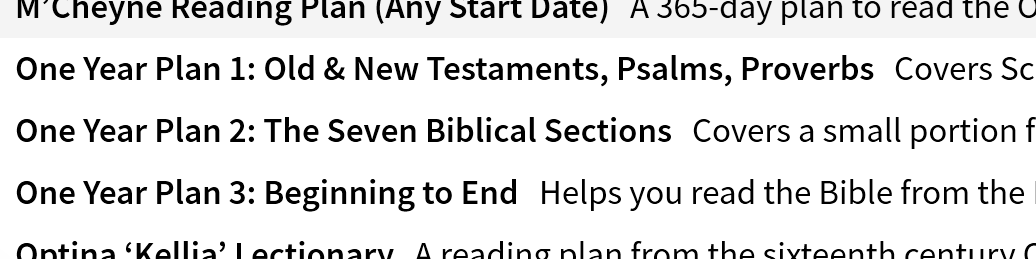
Scroll down to the end and choose one of the new "One Year Plan" options. Set the Start Date to the date of your choice, then click Start.
I believe what Tracey is asking about is the actual “Bible In One Year” study bible by “Tyndale House Publishers.” Does Logos Book store have these study bibles. You can get the in NIV, NLT, maybe KJV. Can you add these (Or at least the NIV translation) to the store?
Available Now
Build your biblical library with a new trusted commentary or resource every month. Yours to keep forever.
Bring Logos Link to Safari
Please add the visual filters from desktop to the mobile app (e.g., page numbers, notes/highlights, active reference, corresponding words, Factbook tags, popular highlights, and more).
It would be beneficial to have the ability to control sermon presentation slides from preaching mode without having to use Faithlife Proclaim. Ideally, this would work similarly to presentation mode in PowerPoint where you can seamlessly view your presentation notes and control the slides at the same time. This could…
This should be in the suggestions section, but it is not working, so I'll just drop it here. //*[Moved into Suggestions]*// I would love to propose a future enhancement for the Study Assistant in Logos Bible Software: Study Assistant + Personal Notes Integration. One of the greatest strengths of Logos is that users…
Integrate Logos with ReadWise (www.ReadWise.io), a service to help readers curate and review their digital highlights. ReadWise was recently endorsed by Tim Challies, and their website says they have thousands of users. I've just begun using the service, but to collect my highlights from Logos alongside my other electronic…