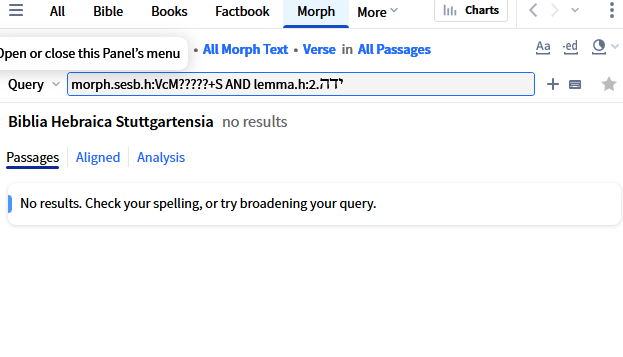
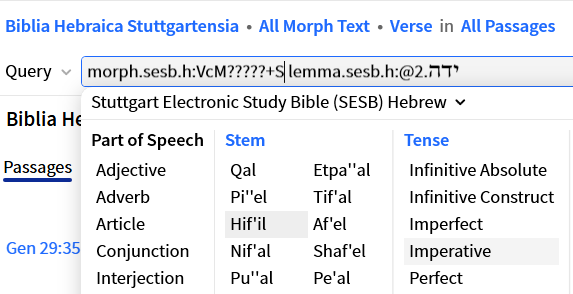
I am trying to do a morph search for יָדָה in the hiphil and imperative.
I'm horrible at these kinds of searches, so I am eager to see someone answer who knows what they're doing. But here's my search the the BHS that gets some results:
lemma.sesb.h:ידה.2@VcI1US -j+S
In the LHB, I get results with this syntax.
morph.h:V[ce][MR] lemma.h:ידה.2
I'm sure there's some documentation, especially about the lemma part, but when syntax was changed, I just started using menus.
Hi @Larry Craig ,
I'm not sure if this is what you're looking for :
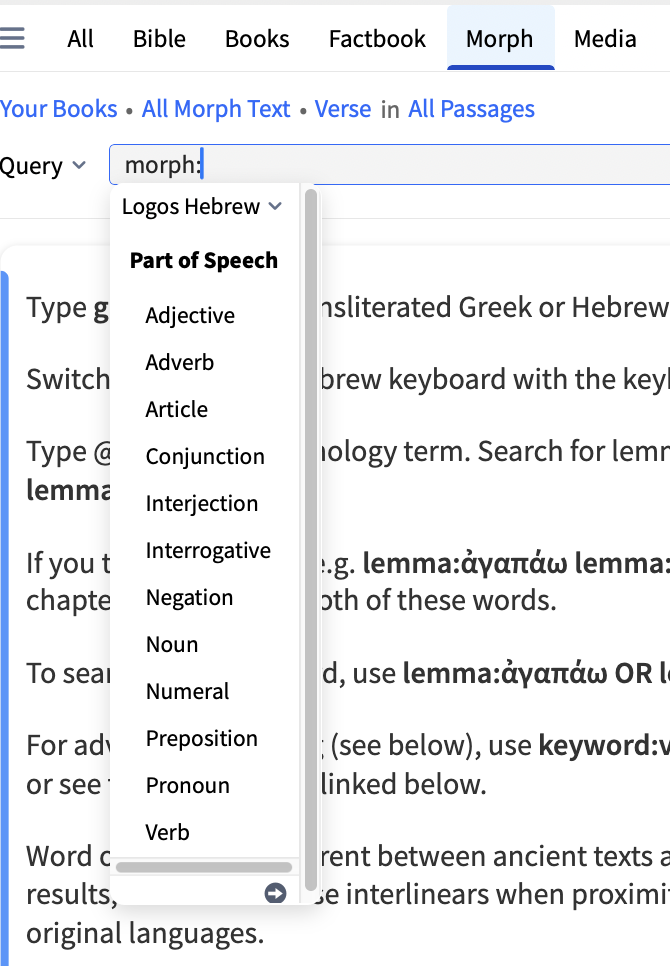
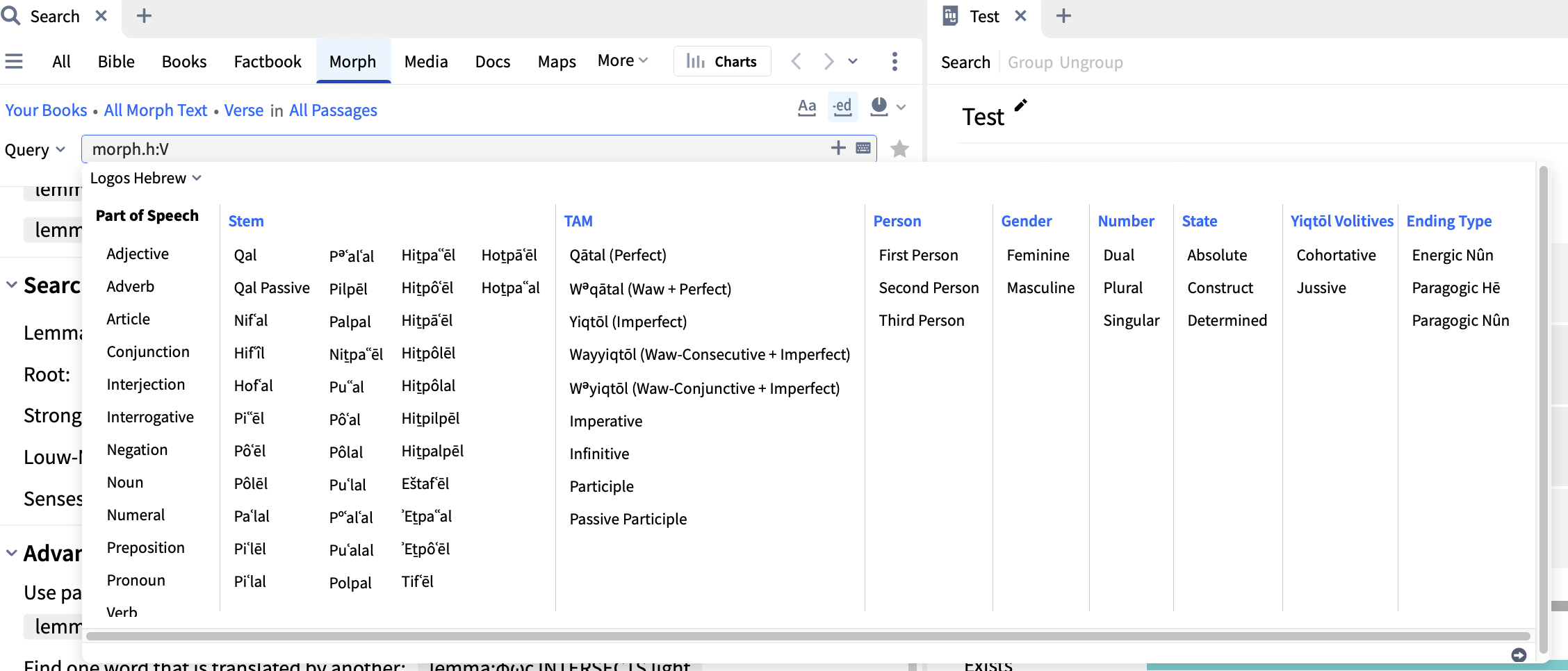
The window selection below will appear once you type morph: → click on Verb
After selecting by clicking the desired Stem & TAM, type the lemma:יָדָה in the Query Text box → Press Enter.
Logos' Wiki link : https://community.logos.com/kb/articles/2140
TLDR : lemma:יָדָה AND morph.h:VcM
Hope this helps :)
@Michelle did all that didn't work
did you see any problems with what I did?
@Lew Worthington
didn't help
I don't know how to create that syntax
@Larry Craig here's my search the the BHS that gets some results:lemma.sesb.h:ידה.2@VcI1US -j+SIn the LHB, I get results with this syntax.morph.h:V[ce][MR] lemma.h:ידה.2
@Larry Craig
here's my search the the BHS that gets some results:
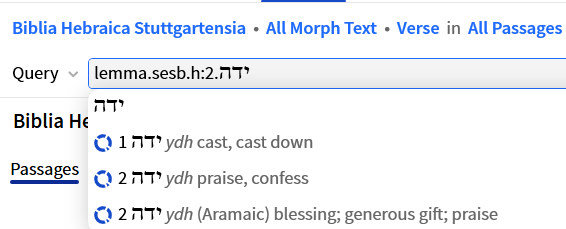
You get the correct lemma by entering ידה in the Search Box for the specific bible and selecting "praise":
Then select the morph code for the Verb by typing @.
You should be able to type after the lemma, but Hebrew is difficult so type @ before the lemma. Now type EQUALS after the morph code i.e. morph.sesb.h:VcM?????+S EQUALS lemma.sesb.h:ידה.2
In SESB you should get 18 results in 18 verses. If you use AND, you get 53 in 24 because it will match any lemma in the verse with that morph code. EQUALS ensures you get the correct lemma with that morph code.
@Dave Hooton
Hi Dave
I don't know what I did wrong, and I'm not going to remember what you did the next time I want to do this. Not that I understand everything that you did
but thank you
Available Now
Build your biblical library with a new trusted commentary or resource every month. Yours to keep forever.
I am looking for a video by Craig Evans on the difficulty of translating the Greek New Testament. I remember watching this over 10 years ago but cannot find it. Any help is appreciated! Denis Thompson
I just purchased The Complete Word Study Old & New Testament (2 Vols.) for my Logos Library. In the past we bought the "The Complete Word Study: New Testament" (Just the New Testament, not the bundle) for my Wife's account , and if we opened the Bible in Logos on her PC, and right clicked on a word in a passage, and then…
I was wanting to create a Exegetical Fallacy cheat sheet that I could carry with me. There are a lot of books and sermons etc. contain these fallacies. A lot of people don’t have ability to learn greek or have access to or can afford devices. Error occur from not being able to use resources properly or out of date ones. My…
I Had to re-install my Windows. When I re-installed LOGOS it needed to download my books. It only downloaded up to 20%, then it stops. Restarting and re-installing doesn't help
Is there anything on Logos that would give me pronunciation of Hebrew words? Transliteration is ok but an actual voice recording or such would be better