Dear Folk,
I there a way to make a bibliographic reference in a Clippings file into an active link if it is a Logos Resource?
Thanks,
Mike
Dear Dave,
I tried putting a text in a clippings file with a reference. I followed your directions, and it activated the link perfectly!
That was what I wanting to know.
The Community Help was not what I was asking. Let me be clearer.
If I put a clipping in the clipping document, and it contains a bibliographic reference to another Logos resource, but it is not given as an active link, is there a way to create an active link to that referenced resource in the clipping?
Not sure if that is clear enough. I know that a clipping has an active link in the upper left corner to the Logos resource it was taken from. If the clipping mentions another resource, is there a way to make an active link to that other resource mentioned in the clipping.
You can create a source link as you would in the Notes section (CTRL+click is needed unlike the supplied Clipping link).
How do I do this, step by step? I don't know how to create a source link as in Notes section.
In a course, there are suggested resources with their links. If I copy these to a clippings file, they show up as a colored link, and I can access them with CTRL + click. What I'm talking about is if I find a resource mentioned in another resource, but it is not linked. If I copy this, it is just text. How can I make it into a link?
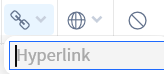
Go to the source book and select Share > Copy Link from its toolbar. Select the book name in Clippings and click the Address link in its toolbar:
Paste the source link into the box and close it. Voila! Of course, this assumes you have that book in your library.
Thanks for the info.
Available Now
Build your biblical library with a new trusted commentary or resource every month. Yours to keep forever.
when opening the mobile app for the first time I get a splash screen asking me to choose my Bible and to sign in. if I choose the Bible first and then sign in, the preferred Bible setting on the app is replaced by what I had previously set on the account. Is this expected behaviour? thanks, Graham
As I have mentioned on a few threads, I find the auto-select (on the desktop version) to be really frustrating since when I am just trying to select a word to either copy it or highlight it, it randomly opens in a new column, distorting the width the column I had open, and / or selects the entire paragraph when I am trying…
I am glad that it is in production. But now I am wondering on the timetable of "in Production" entail to get it done. My guess it should take again awhile to do this with this book, unless it has been already started. Which it should of been done, considering the first three volumes are done. Please tell the eta of this is…
Is there any work being done to develop more editing options (indents, fonts colors, etc) for "Bible Study Builder"?
I know that hermeneutics is interpretation of God's Word, but what am I missing? Am I missing anything? The best interpretation of the Bible comes from the Holy Spirit revealing the hidden meanings. I am halfway through my Pastoral Counseling and Addiction Recovery master's class. It is a shortened version rather than…