This suggestion is on the feedback page at https://feedback.faithlife.com/boards/logos-desktop-app/posts/making-logos-panes-easier-to-navigate
I just stumbled across a new utility for Macs called Haze Over. It highlights the front window by dimming other windows. The amount of tint is set by the user. Here's a quick video that shows what it does: https://www.youtube.com/watch?v=qypnWNfRTCs.
My thinking is that Logos should use something similar to highlight which panes are active. Some users have a harder time always knowing where the mouse is at any given time. Why not have the active pane change colors according to user-determined settings?
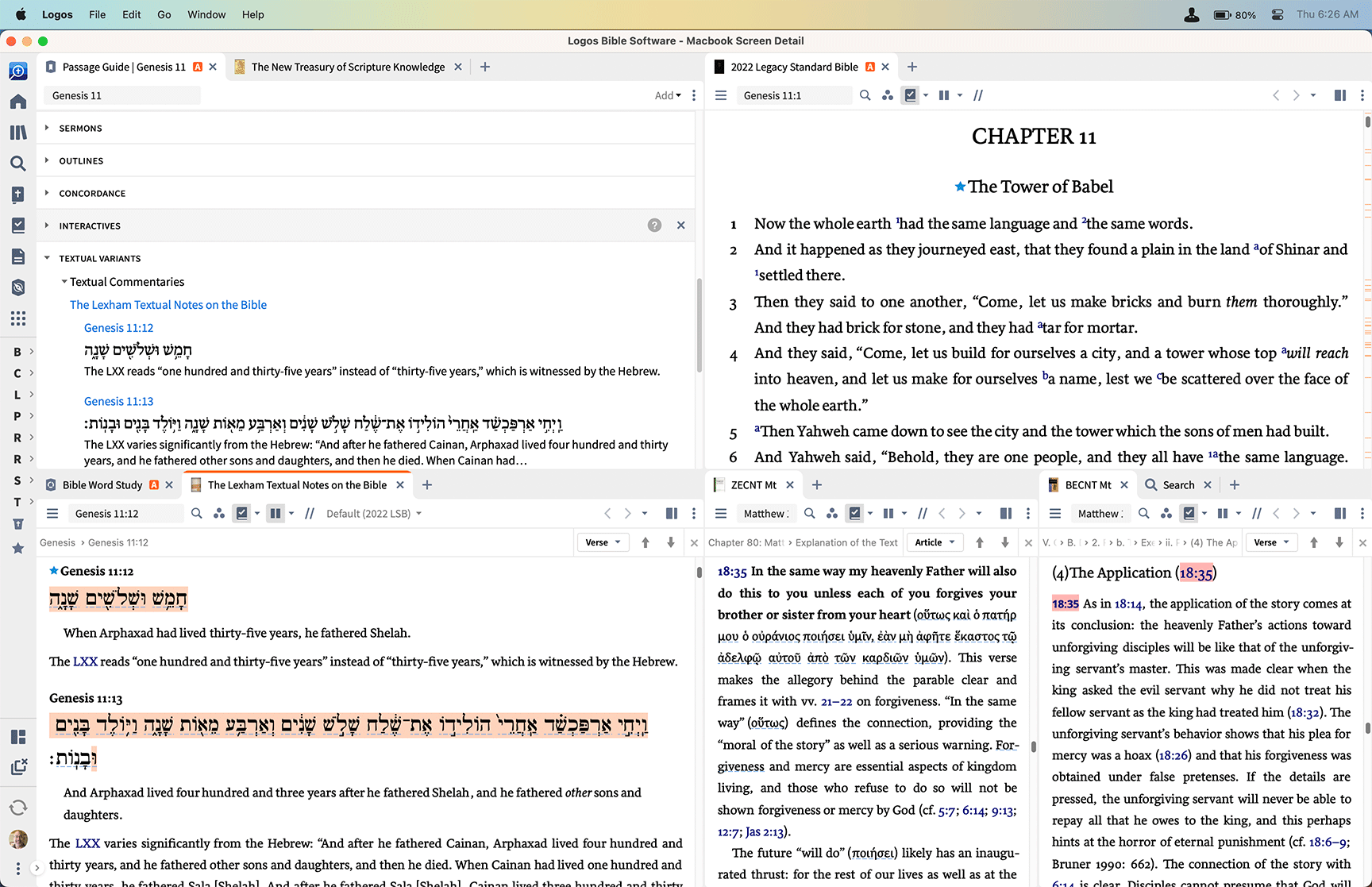
Here's my current layout:
I propose something like this, where the active pane has a different background:
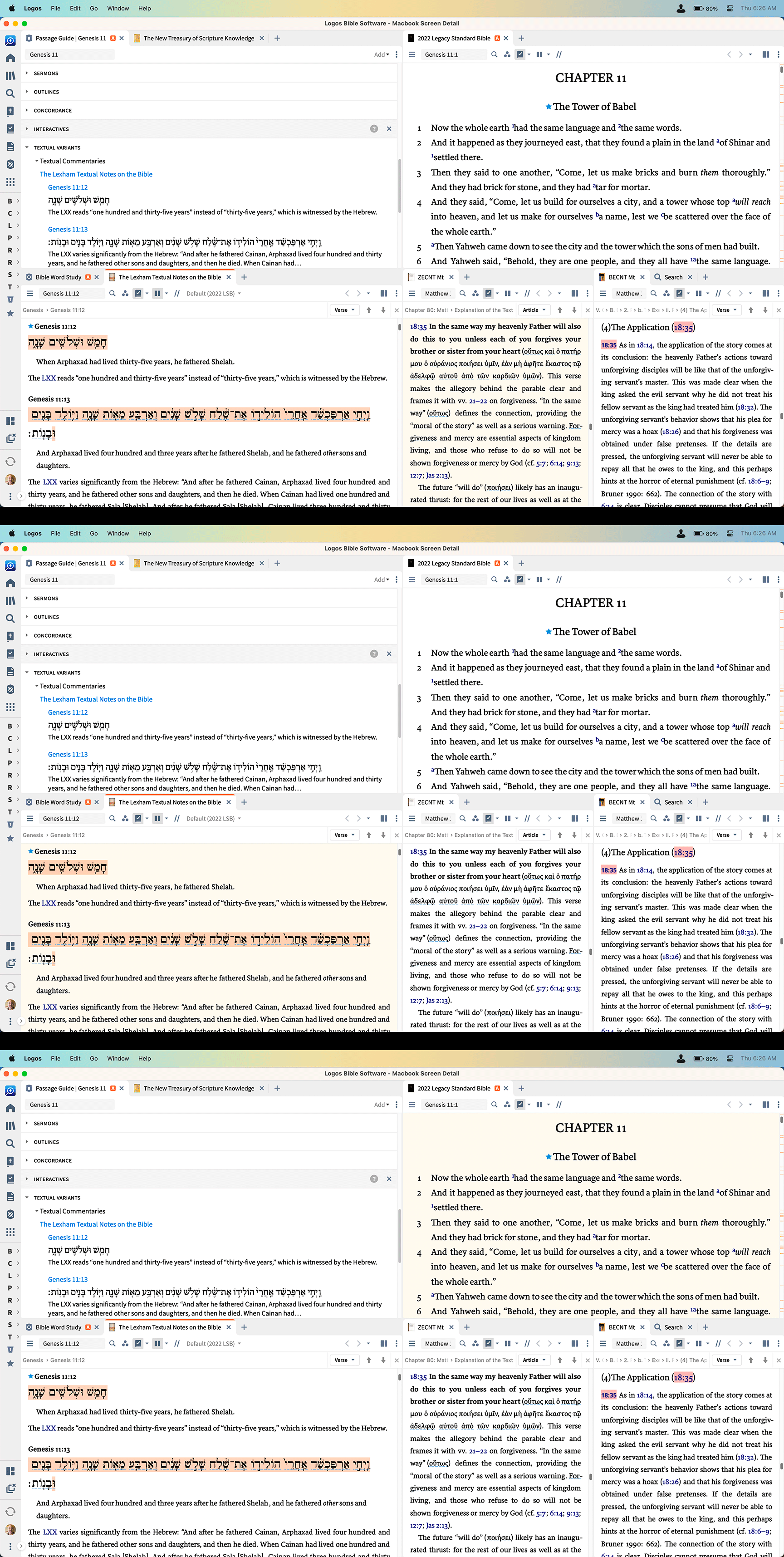
The user should be able to (a) activate or deactivate at will, and (b) the tinting must be completely user-definable and not merely a handful of selections pre-determined by Logos. Using the computer's color setting panel would make the most sense.