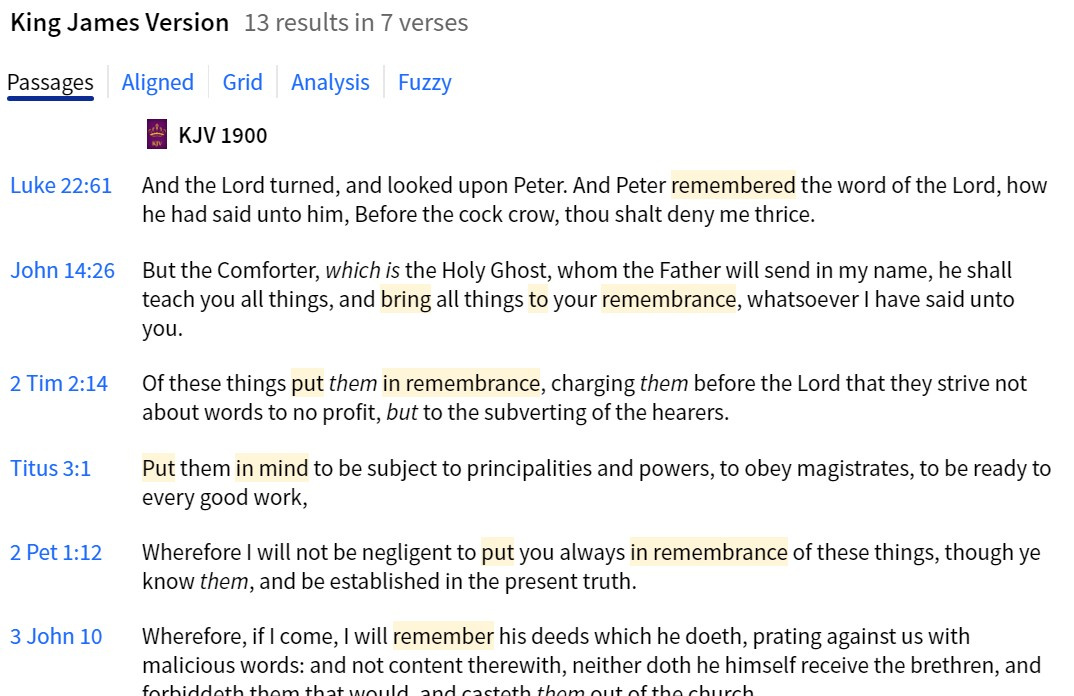
This may have changed under the new update, but now when I search a corresponding lemma, the highlighted word comes up in a very light/feint yellow. I can hardly see it! Can anybody point me to the right option to change it? Needs to be brighter.
Have you tried the display options in your operating system?
Not the operating system. It has only been like this since the last Logos update (last night).
Available Now
Build your biblical library with a new trusted commentary or resource every month. Yours to keep forever.
In my Bible study group I go through the story of David with the special focus what David thought about the single stories. Therefore I look in his psalms. Is it possible to limit a Bible search on David’s Psalms?
I want to find a sentence containing both the words: godliness and being
I have developed a reading plan that covers the entire scripture in 180 days. It uses the Tanakh order of the Old Testament. You read 2 chapters from the Pentateuch, 2 from the Prophets, and 2 from the Writings. The New Testament is 2 chapters from the gospels, and finally 2 chapters from Acts-Revelations. This is 10…
If you were studying a book of the Bible and wanted to take notes and keep track of Commentaries and other reference works that you used so you could use the material in the future for sermons or church Bible studies would you use Notes, Canvas, Sermons Manager or something outside of Logos?
I have a couple of books that always crash Logos. I read the books a while ago and created Notes while reading, but if I try to go to the Note anchors in the books in question, Logos crashes. Same if I try to open them in the Library. Is there anything I can do to fix this?