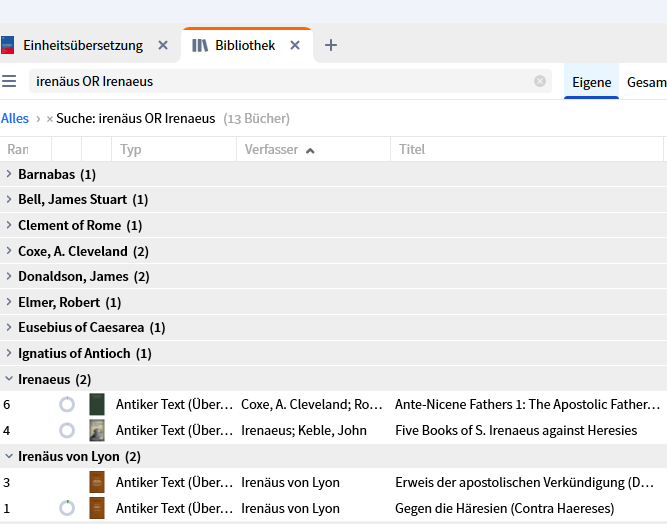
I own resources in English and German e.g. by Irenaeus, but they appear under differnt names. Is it possible to merge these?
You need to explain what you mean by "merge". e.g. you can relate them by putting them in the same Series or by tagging them.
You need to explain what you mean by "merge".
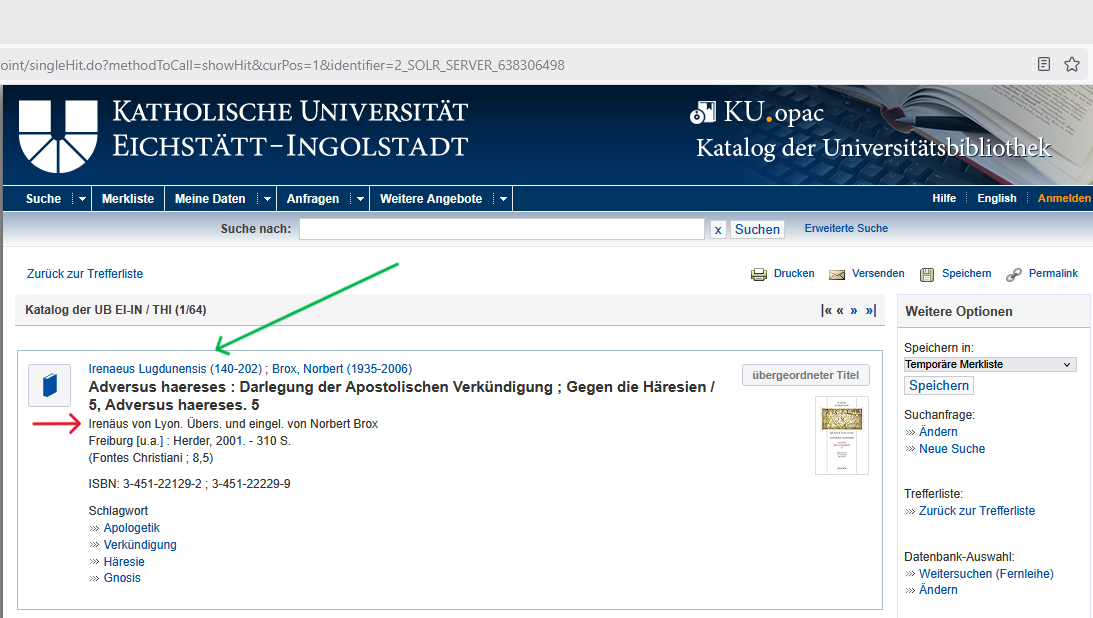
I would like Logos to decide for one version of an author's name, e.g. "Irenaeus Lugdunensis (140-202)", and assign it to each and all works by this author, so that only this one version shows up in my library containing all of the author's works (see green arrow in the screenshot below taken from an university OPAC).
Other versions of the name could be carried in other data fields (see red arrow in the screenshot below).
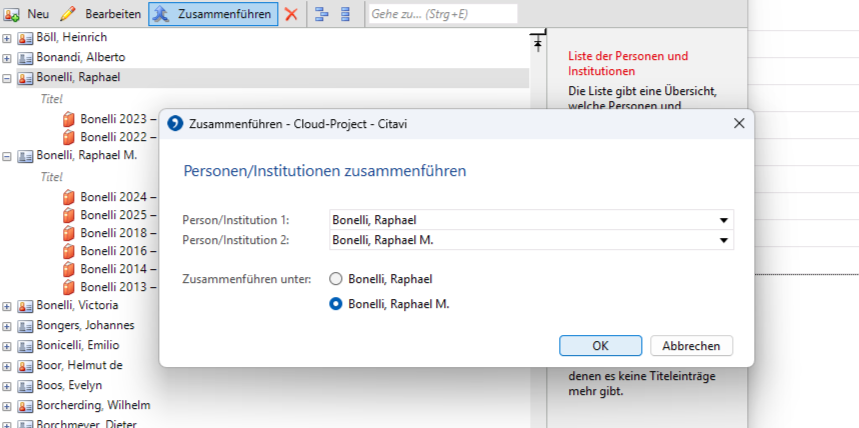
Citavi, a third party library program, allows the user to merge names by himself:
I would prefer the first solution (done by Logos), but I would be also happy with the second one (done by the user).
I would like Logos to decide for
one
version of an author's name, e.g. "Irenaeus Lugdunensis (140-202)", and
assign
it to each and all works by this author, so that only this one version shows up in my library containing all of the author's works (see green arrow in the screenshot below taken from an university OPAC).
I think a better solution was visible in the older Factbook format and in the handling of Bible book names - the recognition of synonyms via a reference table. Using a fixed name doesn't work well across alphabets and writing systems, Think Asian market.
I like MJ's solution better - and actually Logos uses a unique numerical identifier per author (as can be seen from shop searches) and thus would be able to facilitate that easily.
and thus would be able to facilitate that easily
Sorry, I don't understand. What are you pointing out with "that"?
the merging of different author names under one ID. It would be easy if the ID is a (meaningless and already existing) number and all spellings and variants of the name are just attributes of that ID.
Available Now
Build your biblical library with a new trusted commentary or resource every month. Yours to keep forever.
Bring Logos Link to Firefox.
I would like to request a bulk export feature in Sermon Manager / Sermon Builder that allows users to export all sermons as Markdown (.md) files. Markdown is a simple, human-readable flat-file format that is widely supported and not tied to any single platform. Having the ability to bulk export sermon content to Markdown…
I bought this book https://www.logos.com/product/55445/a-year-with-the-angels-daily-meditations-with-the-messengers-of-god?queryId=8d8cac57caa4d4343035bee59532a1ea thinking I'd put it on my Logos Desktop and read it daily, but it didn't show up as a daily devotional. I figured out that it's probably because this book is…
Please add a widget to the Logos Android app that allows me to run theological Study Assistant queries directly from my Android mobile device's home screen. See the example widget in the image above.
How about partnering with Claude to create a connector so that we can utilize our libraries within Claude AI? I continue to find your Study Assistant severely lacking in many ways and just avoid using it 99% of the time. I end up using Claude for research, then going into Logos to look the actual references up.