Dear Folk,
I there a way to make a bibliographic reference in a Clippings file into an active link if it is a Logos Resource?
Thanks,
Mike
Dear Dave,
I tried putting a text in a clippings file with a reference. I followed your directions, and it activated the link perfectly!
That was what I wanting to know.
The Community Help was not what I was asking. Let me be clearer.
If I put a clipping in the clipping document, and it contains a bibliographic reference to another Logos resource, but it is not given as an active link, is there a way to create an active link to that referenced resource in the clipping?
Not sure if that is clear enough. I know that a clipping has an active link in the upper left corner to the Logos resource it was taken from. If the clipping mentions another resource, is there a way to make an active link to that other resource mentioned in the clipping.
You can create a source link as you would in the Notes section (CTRL+click is needed unlike the supplied Clipping link).
How do I do this, step by step? I don't know how to create a source link as in Notes section.
In a course, there are suggested resources with their links. If I copy these to a clippings file, they show up as a colored link, and I can access them with CTRL + click. What I'm talking about is if I find a resource mentioned in another resource, but it is not linked. If I copy this, it is just text. How can I make it into a link?
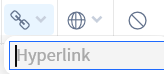
Go to the source book and select Share > Copy Link from its toolbar. Select the book name in Clippings and click the Address link in its toolbar:
Paste the source link into the box and close it. Voila! Of course, this assumes you have that book in your library.
Thanks for the info.
Available Now
Build your biblical library with a new trusted commentary or resource every month. Yours to keep forever.
I searched for something in the Help Centre, it gave me link to "Part 4: Research your word in lexicons - Logos Tutorials: Study a Word" It says I don't own the resource but gives me a preview, I want this resource, but when I click on the link it gives me a 404: Not Found error.…
Hi All, Just a question - since paying subscribers are promised a "subscriber exclusive" free book each month, what happens when you already own the book on offer? Would Logos consider providing an alternative free book, since this value should form part of being a subscriber? Thanks.
Using Ephesians 2:8 as an example, is there a way to do a morphological search in the Greek New Testament to find all of the verses that contain a demonstrative neuter pronoun without a corresponding neuter noun?
Probably simple enough Q[s] for any Logos Master: What corpus of resources does Power Lookup [PL] display (and method and extent of enlarging it)? So, Google AI suggests "choose Power Lookup to see definitions from your dictionaries or references to that text." And a Logos article is similarly suggestive of a broad search…
I had to replace my PC which necessitated reinstalling Logos. The reinstall apparently updated something so that every time I open a book I now get a marketing side panel named "insights" which I cannot determine how to turn off. I want to permanently turn off the insights - how do I do it? Logos needs to stop adding this…