Hi, when pressing ctrl + P it shows this only. I can see only one page. When trying to print -export, some options are disabled so am unable to export. Thank you for your help!
Maybe someone else knows a way to do that from the web app. Otherwise the desktop app (on Windows or Mac) would be better for that.
Thank you for your comment, Bernhard, I haven't receive any reply. I am using Windows. ..
Hi Denise, even though you say you use windows, your screen captures only show the Web App (i.e. you are using a limited-functionality, online version of Logos through a web browser), not the desktop app. The web app doesn't seem to have a print or export functionality, other than printing/saving a single web page. You would need to install the desktop application (which is available e.g. here: https://downloads.logoscdn.com/LBS10/Installer/LogosSetup.exe ) and then you can print to Paper or to a PDF:
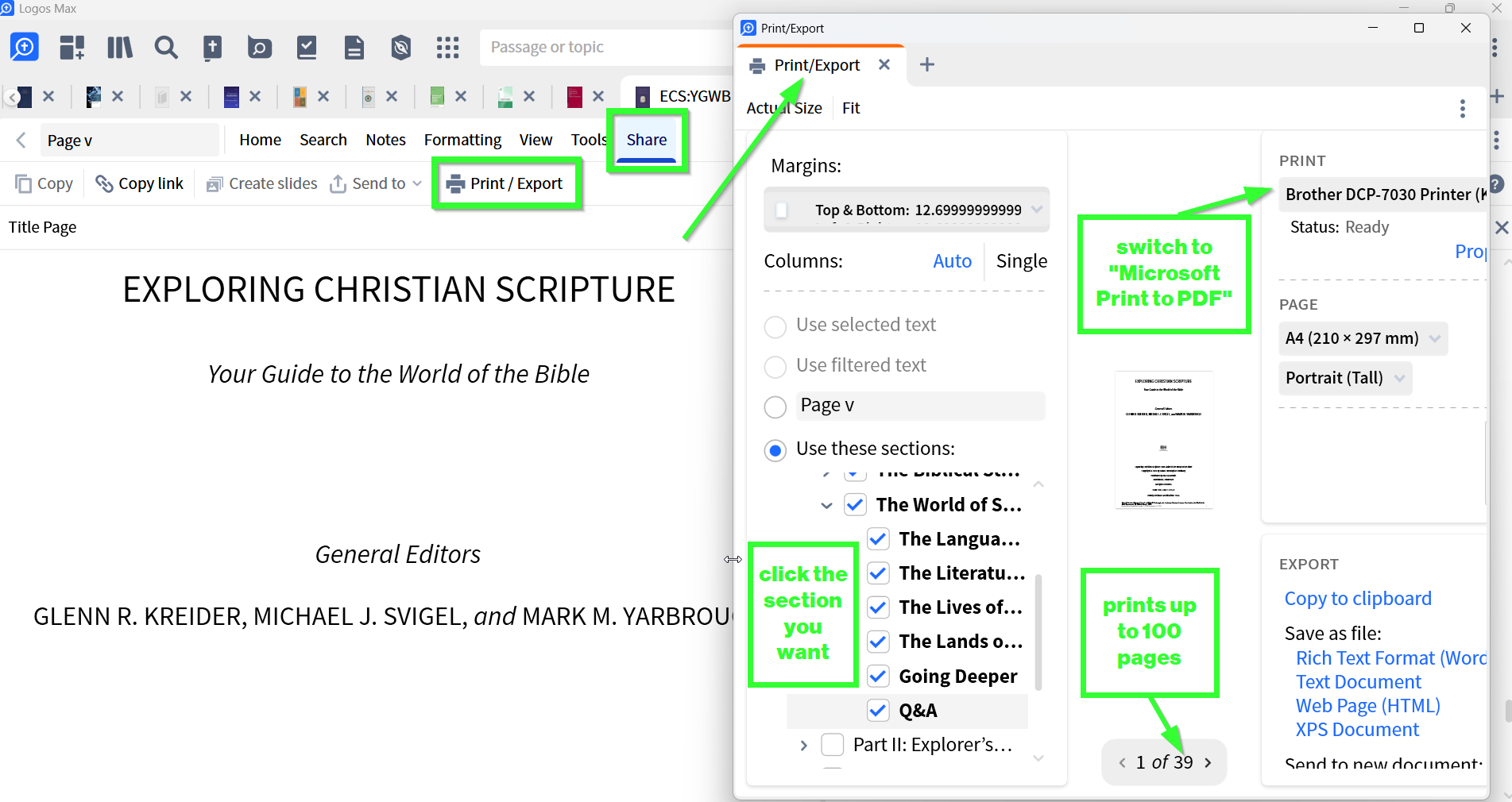
Denise, at one point there was a 100 page limit when you printed or exported from the desktop app. You could work around that for a longer book by multiple selections of text and additional printing. Haven't heard that the limit was lifted, but perhaps so.
Thank you Bernhard and Mark Smith! And thank you NB. Mick! It actually worked with the desktop application, didn't know there was one. My laptop is just tooo slow and could do a pdf only once, but now I know it works this way. My windows disc says 100% memory being used and I am only using the app. Thank you soo much :)
Available Now
Build your biblical library with a new trusted commentary or resource every month. Yours to keep forever.