What’s happening with Logos Mobile? The new update is really frustrating; when I enter a reference in the box, it takes me to a search instead of directly to the passage.
Please revert it back.
Are you using iOS? Entering a reference in the reference box of a Bible on Android (v44) takes me directly to the passage.
yes, iOS
This is what’s going on:
I experience the same behavior if I perform a search, but not if I enter a reference into the reference box. I am unable to test on iOS.
Wild Eagle is luckier than me. Can't enter ANY text in the text box … pops to the menu'd refs. A pain when wanting a page number (monograph). iOS.
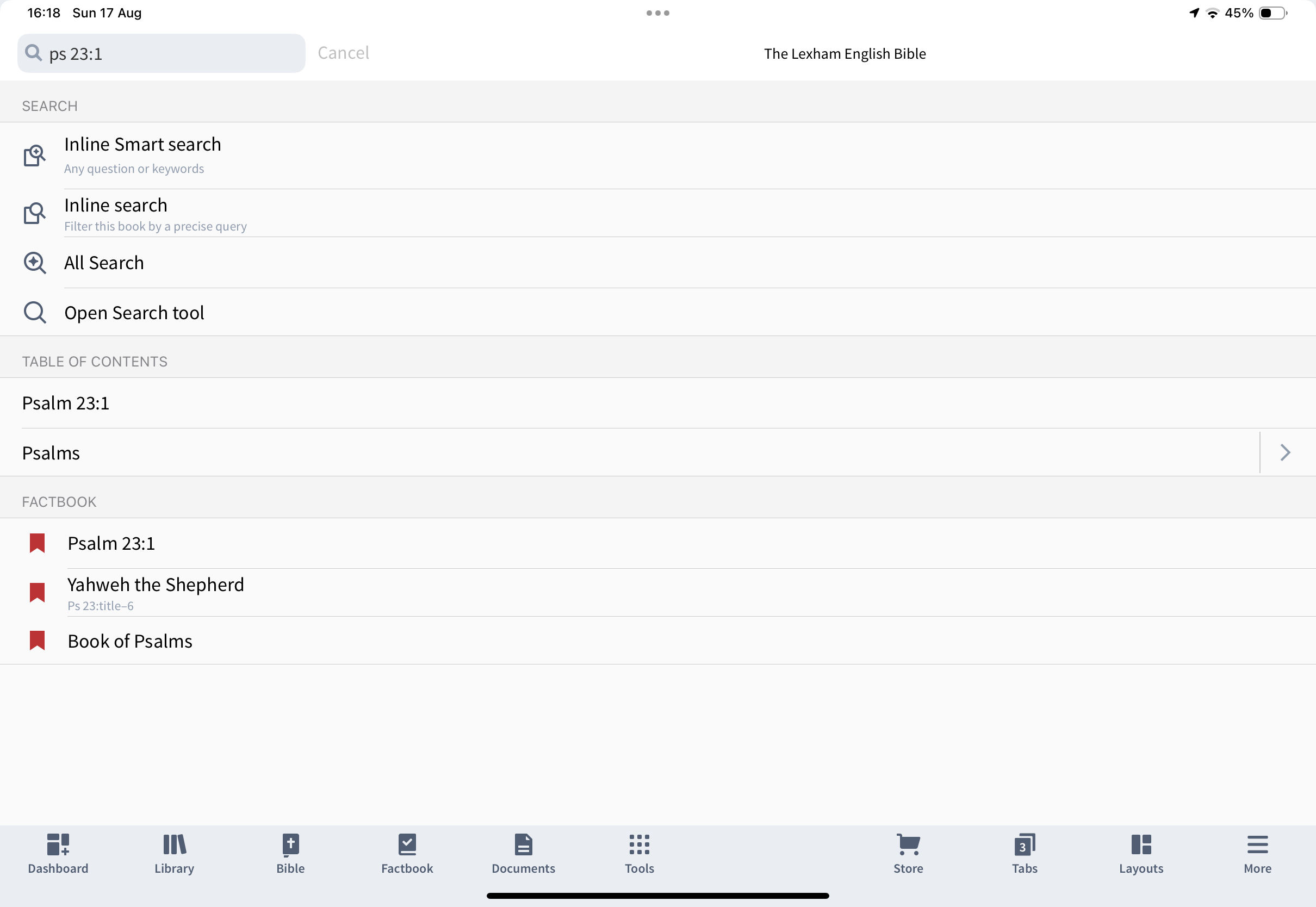
on my iPad if I tap the magnifying glass icon and enter a passage reference I see the following options.
if I then select Ps23:1 in the ToC Logos changes the reference in the Bible to that point. And, yes, if I select the top option I get a Smart search
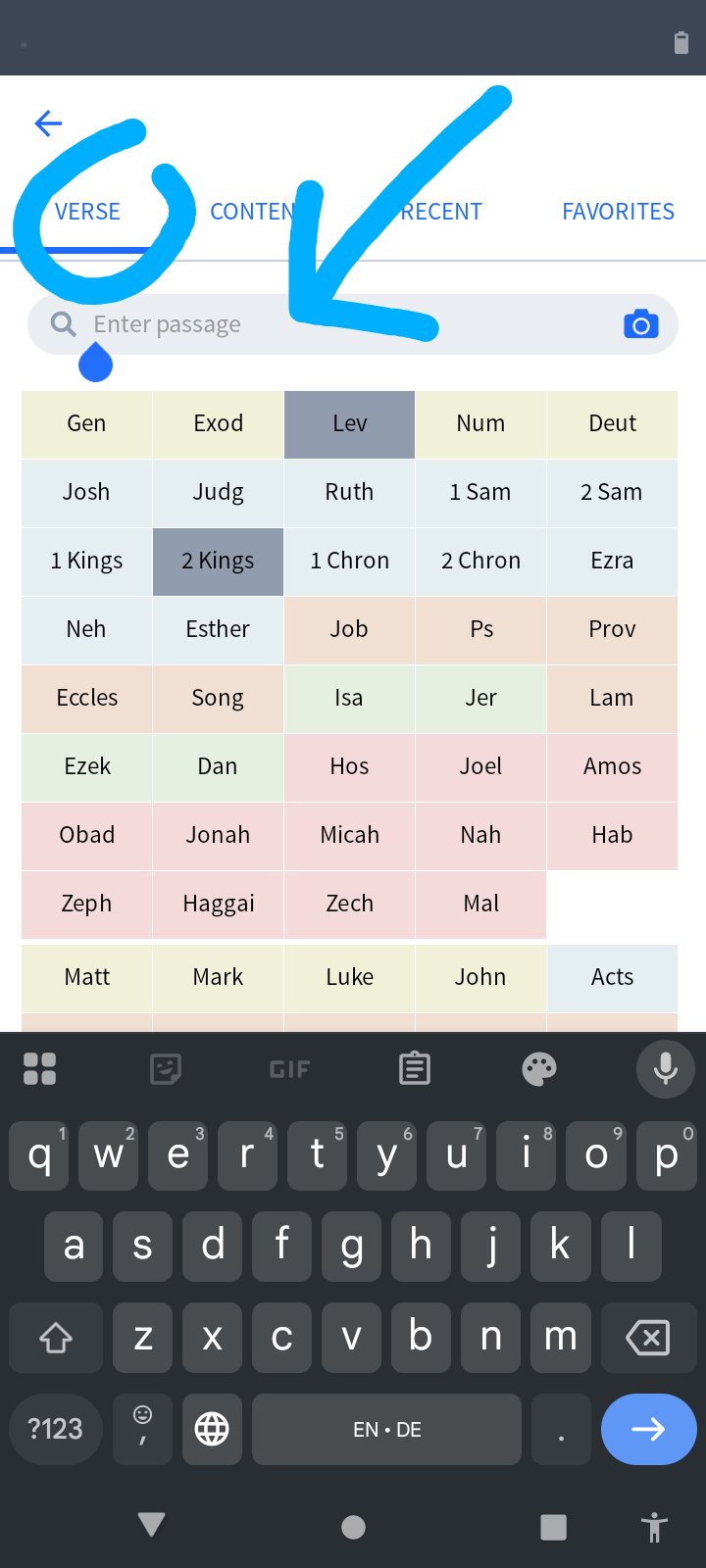
The easiest way to update the location is to tap the reference box and type it in the popup that appears.
The app has behaved this way for some time
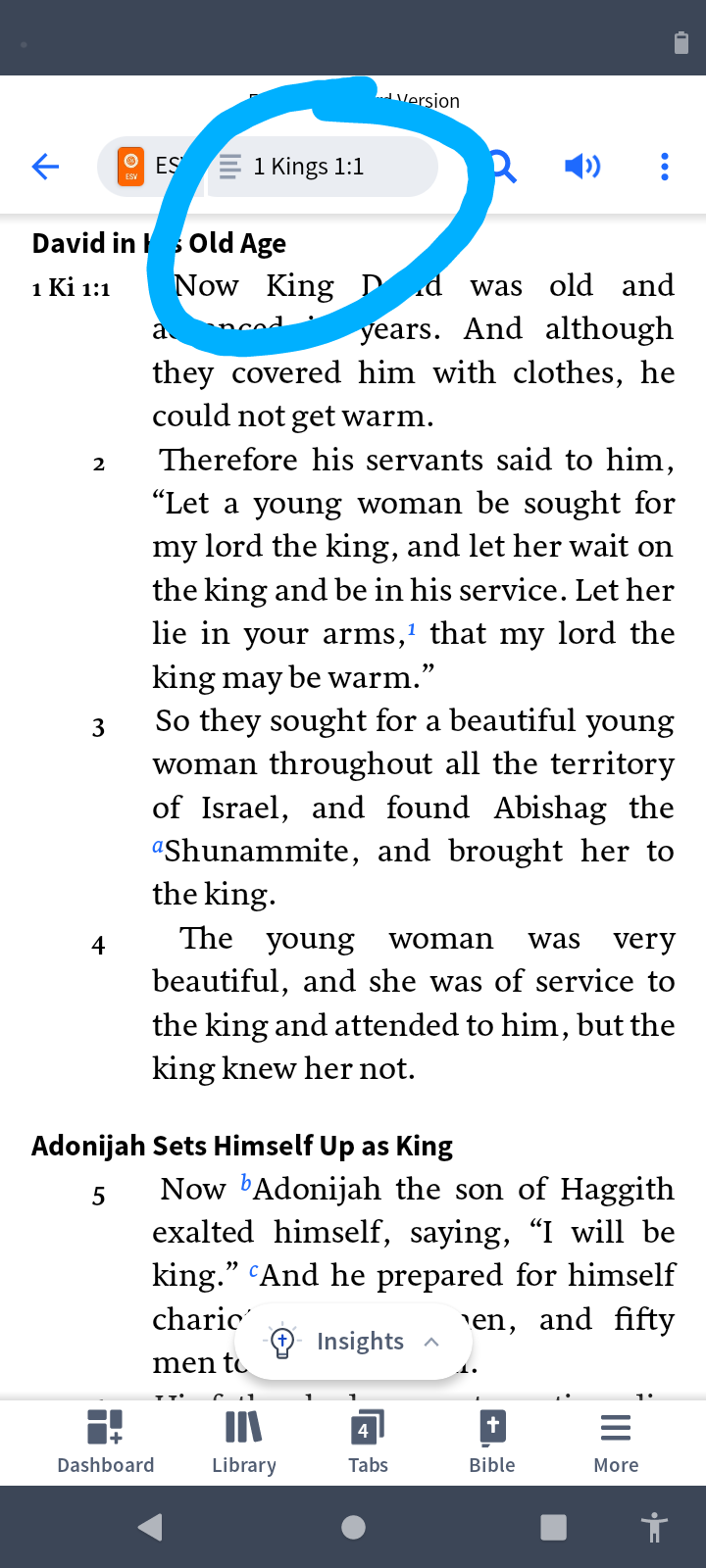
This is what works best for me on Android (same as what Graham mentioned). First, tap the reference box (circled in the first screenshot). Next, make sure verse is selected at the top, and enter the passage.
Ok, now I see the issue (for me). Non-Bibles don't have a text box (to enter a page number).
Ok back to the bigger problem.
Thank you Graham and Aaron. That works, I used to always do through magnifying glass
This change is clearly impractical. Those of us who have used the app for years are now repeatedly being sent to Factbook or searching when all we want to do is look up a verse—often many times a day.
Our workflow was simple and efficient: enter the reference, press Enter, and the passage opened immediately. Our brains were trained to work that way. Now the process is slower and more cumbersome. If we instinctively press Enter, we are taken to the wrong place and must clear the entry and start over. Even when we enter the reference correctly, we then have to look below, find the verse link, and click it—sometimes scrolling just to locate it.
This change adds unnecessary friction to something that should be fast and intuitive. Please either restore the previous behavior or give users the option in Settings to choose how Scripture references are handled.
Yep. For some odd reason, the change is logical but unintuitive. Much confusion.
The same happens on my iPad with Verbum 47, German UI, but only if I insist on "Search". A single click brings up the "choice window" (don't know its name):
Available Now
Build your biblical library with a new trusted commentary or resource every month. Yours to keep forever.