What are your Desktop Backgrounds?
plain black on my two screens at the moment... but the black works well on the second monitor for when I want to do a quick jing project so it is functional...
I like what you have done here though
I rarely see it though, mostly only when I reboot, as I run with almost everything maximized all the time. I Alt-Tab through the apps and documents I'm working with at any given time (which usually numbers somewhere in the 20s or 30s!). I have only one monitor.
This is mine. It's created automatically by John's Background Switcher and changes every hour. Having two monitors means I see it more than I used to. When I had one monitor my 'wallpaper' was just plain black, too.
You could certainly create something useful with Logos though. Perhaps there's scope for a Logos screensaver using images from our Logos resources…
This is my current one...I see it on my second monitor. It's been there a while... maybe time to change again.
I've got mine set with a variety of the wallpapers from Logos + a few others. Win7 cycles them every 1/2 hour but I almost never notice because all three monitors are usually full.
Perhaps there's scope for a Logos screensaver using images from our Logos resources…
I have on at least a few occasions asked for one that would cycle through our book covers.
You could probably make one yourself. Use my bibliography page to show all your covers. If you save that page in your browser, you'll end up with a folder with an html page, a css file and thousands of jpeg cover images. You could then use any number of freeeware screensavers to display pictures from that folder.
+! Mark, great idea.
Here's my new wallpaper!
Todd and Rosie, will you send me those photos at full resolutions please. I like them. logosforum at the mail that is always hot.
Sorry, don't know how to capture and share it. I mostly use nature shots (not unlike Rosie's and Todd's) from "webshots." They cycle through every 15 minutes, or, if I find one that draws me in, I keep it around for days. Currently my laptop has a pastoral scene of a rocky brook, pasture, and large shade trees. The desktop has an English countryside theme: the Hills of Troutbeck, Lake District. green, green, green, with a stone wall and a stone church in the background.
Lynden, mine is a photo I shot of the famed Tunnel View at Yosemite National Park. You can download a higher resolution (800x533) version from my Flickr site: http://www.flickr.com/photos/rosie_perera/3804713301/sizes/o/in/set-72157621991998226/. Probably tolerable for a background image on a medium-sized screen. I'm hesitant to give the full resolution shot away for free as I still might use it commercially someday. This is one of the very few of my photos that I feel so possessive about. I'm glad you liked it! [:)]
Hey Todd,
That is an incredible shot! If I had that on my computer, I'd have to change it, because I wouldn't get much done.
Hey Todd, That is an incredible shot! If I had that on my computer, I'd have to change it, because I wouldn't get much done.
I didn't take it. I got it off of webshots several years ago, back when they had a better selection of professional stock images for desktops.
all three monitors
Thomas:
No wonder you don't any money left over for the ESVSB[;)]
I was thinking of the very idea. Nice work.
As well as the cycling desktop wallpaper that Thomas mentioned this idea could be extended to a screen saver that is based on a picture folder. You could add some collages like this, some book covers as Mark has done with his wallpaper and even dump in there some of your favourite info-graphics and have them cycle as your screen-saver... but how often does any of our screen savers kick in when we are using Logos 4 [;)]
this is my wallpaper... nothing too fancy
It's not Melbourne, but it'll do.
In order to show that Logos is not my "whole" lIfe obsession, I have this as my DESKTOP background.
You may need to be an older Canadian ice hockey fan in order to see the "significance."
(with tongue placed fimly in cheek) these three gentemen represent "hope" & "keeping the faith."
Hint: much like the pre 2001 Boston Red Sox.
just been to (actually still there) flickr. are there any HD photo to set a background on this site?
A really cool pic of P52 with black background!
Very cool! And welcome to the Logos forums, Daryl!
Welcome to more than stalking lurking on the forums Daryl. [:D]
Why am I not surprised at your background?
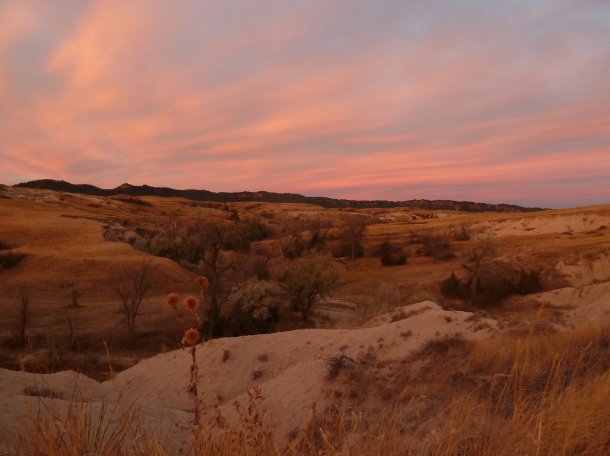
Here's my simple desktop; a picture of a great morning (or anytime for that matter)....
My fav (per Mark Barnes bookshelves)
Mine are seasonal, this is what I have right now:
I have a friend visiting Southern France and he just sent me through a photo last night of Le Pont de Gard near Nimes, which I've just made my desktop.
From my screen saver I've been exporting the pictures from the Keyword Learning System resource and having them cycle. It's available in all library collections and gives a visual representation of each of the books of the bible. You could do something similar with other media resources.
Here is mine
Sans advertising banner......what are they thinking ?
Okay Andrew, here it is again[:)].
THat is a beautiful photo Ted!
Great to hear from you Joe. Trust you are keeping well? Blessings.
Ted
THat is a beautiful photo Ted! Great to hear from you Joe. Trust you are keeping well? Blessings. Ted
Life is hard at times, but God is always good brother!
Right, got you.
Sorry that was a bit to cryptic.... I was refering to a news report I saw where they were going to rent advertising space on the Tower of London Bridge.
And I concur with what Joe said: "That is a beautiful photo Ted!" [Y]
HAH!!!
Pastor Mark,
How did you do this? I like it. I just posted if the Logos developers could create an Itunes Album cover style screensaver, so I could get a better visual of my library.
Blessings,
Eric fary
How did you do this?
Hi Pastor Mark,
if you are referring to the first post with picture pieces of Logos4 pasted on the desktop, i used a Paint-like program and captured several screen shots and cropped them and pasted them into a composite image and saved it to the hard disk. Then used the desktop properties to assign the image as the desktop.
mine is . alas!, very cluttered with too many programmes!
Keep Smiling [:)]
Eric, check out Mark Barnes's bibliographic report tool which is linked from the signature line on all his posts. That will enable you to create a visual image of bookshelves on your screen with covers of all your Logos resources: http://www.4-14.org.uk/logos/logos4-bibliographic-report. It's been a while since I've tried it out, but I also think he hooked it up so that you can click on any of the covers and it will open that book in Logos. But don't quote me on that.
Welcome back, Andrew! Only yesterday or today I was wondering what had happened to you!
try without the icons....
Available Now
Build your biblical library with a new trusted commentary or resource every month. Yours to keep forever.








.png)