The installation app did not ask me for the 20 digit code, rather to install upgrade 4.5b, I did that and now running the logos 4 app, i have no resources. How do I enter my code to get the resources I purchased? I have the 4.5 install disk.
Beryl -
First, welcome to the forums! I see that this is a new installation, but are you a brand new Logos user, or just new to Logos 4? Did you purchase this recently? Did you give Logos a chance to index? NOTE: this is a LONG process and Logos will not function properly until it is done.
Welcome [:D]
For new Logos 4 installations, the 20 digit code is entered once so Logos can associate your resource licenses with your Logos.com account (typically an email address with your chosen password).
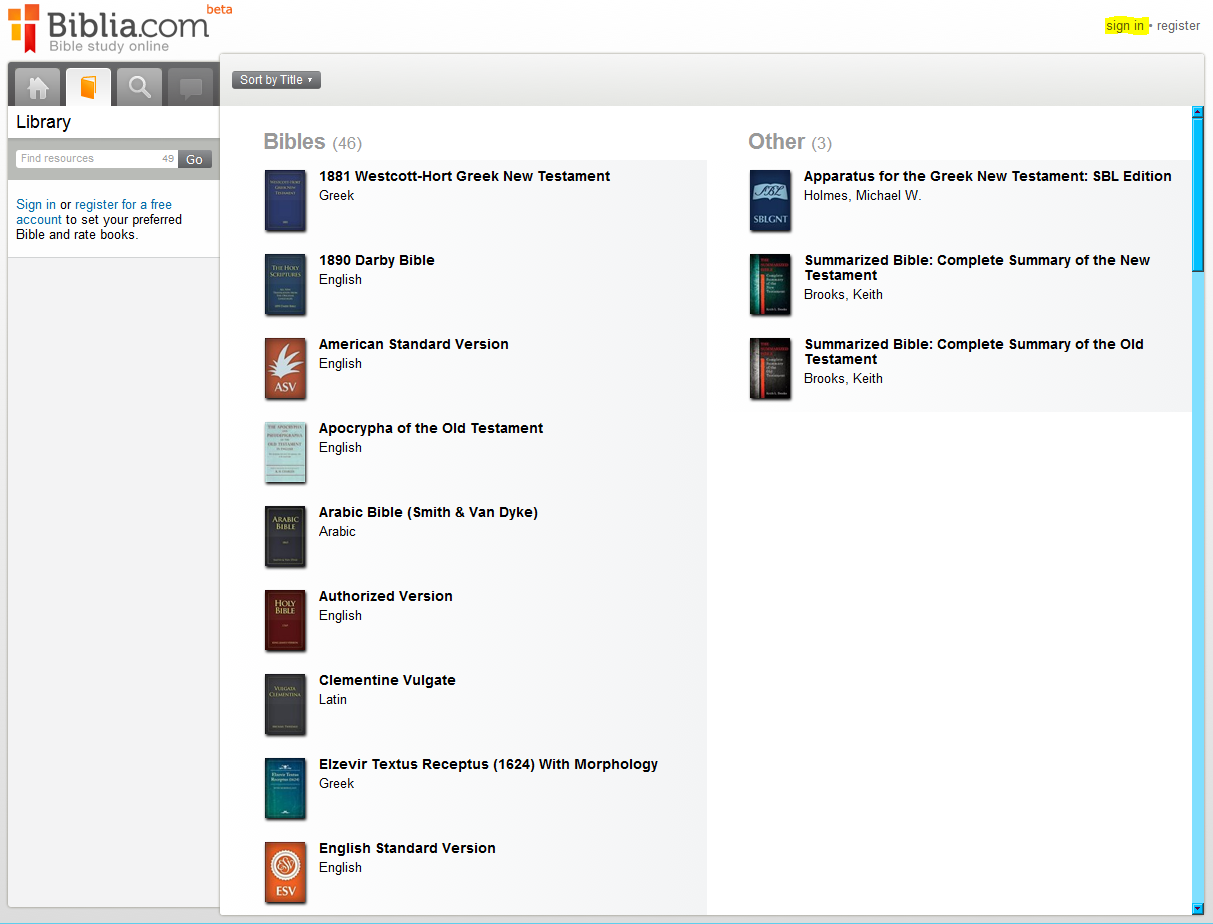
One way to check resource license association with your Logos.com account is login to http://biblia.com then look in the library, which shows resources available for mobile use:
Logos offers 49 resources for free mobile use. My Logos library has 90 % of my resources available for mobile use.
If http://biblia.com is not showing more resources when you are logged in, suggest contacting Logos Customer Service => http://www.logos.com/about/contact
Wiki Getting Started with Logos has => Installation + Indexing
When Logos is downloading or indexing, a blue => Indexer Icon appears in the menu bar; can click on icon for status.
Keep Smiling [:)]
OK, I'll start over and wait for the "blue" indexing icon. It may be that I went on to my next todo to quickly. My original thought was that the installation app would ask for the code, then start indexing.
I'll report back later. I did put in an email to customer support, thanks!
OK, I went to biblia.com and it shows 47 + 26, I assume that is for the scholar's library that I purchased. I just signed in and now I'm going to walk away and see what happens in 5 hours. On my Mac version I do not see the blue indexing icon? Hmmm ... and again, it did not ask me for a 20 digit code.
Beryl - I notice that you have used two different accounts here... Make sure you are using the right one consistently. Otherwise, you will have resources in two different accounts. Logos is designed for only one account at a time.
Available Now
Build your biblical library with a new trusted commentary or resource every month. Yours to keep forever.