Please bring a dark mode/theme to the web app.
70 year old eyes do not do well with a blinding white screen
PLEASE. YES. PLEASE. MY. EYES. ARE. BURNING. help.
Yes, please.
I exclusively use the web app since I run Linux, and I'm disappointed that dark mode is not an option there. The web app also doesn't play nice with Dark Reader extention for Chrome (which wouldn't be an issue if the web app had its own dark mode). I would appreciate adding Dark Mode to the web app.
I've gradually moved to using the web app almost exclusively because of portability. It's 2025, please allocate some resources to getting a built-in dark mode.
My tablet is not supported by the app so I am using the Samsung browser in dark mode. It usually works great for night time reading. (I have a different browser in normal mode as my standard browser.) However, the bookpages are still white. I would prefer if I didn't have to find add-ons, etc for this.
Agreed. Dark mode was a game changer when it first came out. I remember having to do High contrast on windows before it really caught on. I hate the bright colors. They definitely mess with my vision.
The web app is very rich, but it lacks dark mode. My sensitive eyes would really appreciate dark mode to be brought to this form too for use on a ChromeBook. Thank you!
@A. Jacob W. Reinhardt does using the web browser's own dark mode not work for you?
For clarity, the web browser dark mode doesn't touch the whitepace inside the page. The feature idea is for Logos to respect the Browser's dark mode setting but it doesn't right now.
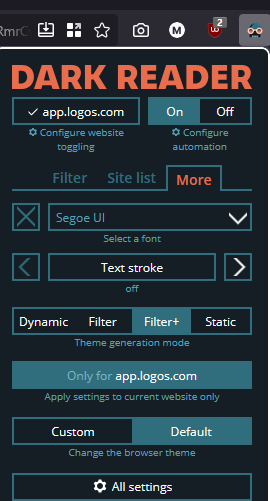
YES, PLEASE. WE NEED THIS. Currently having to use a chrome extension "Dark Reader" to force dark mode on web app.
Please add this already. We really need this feature.
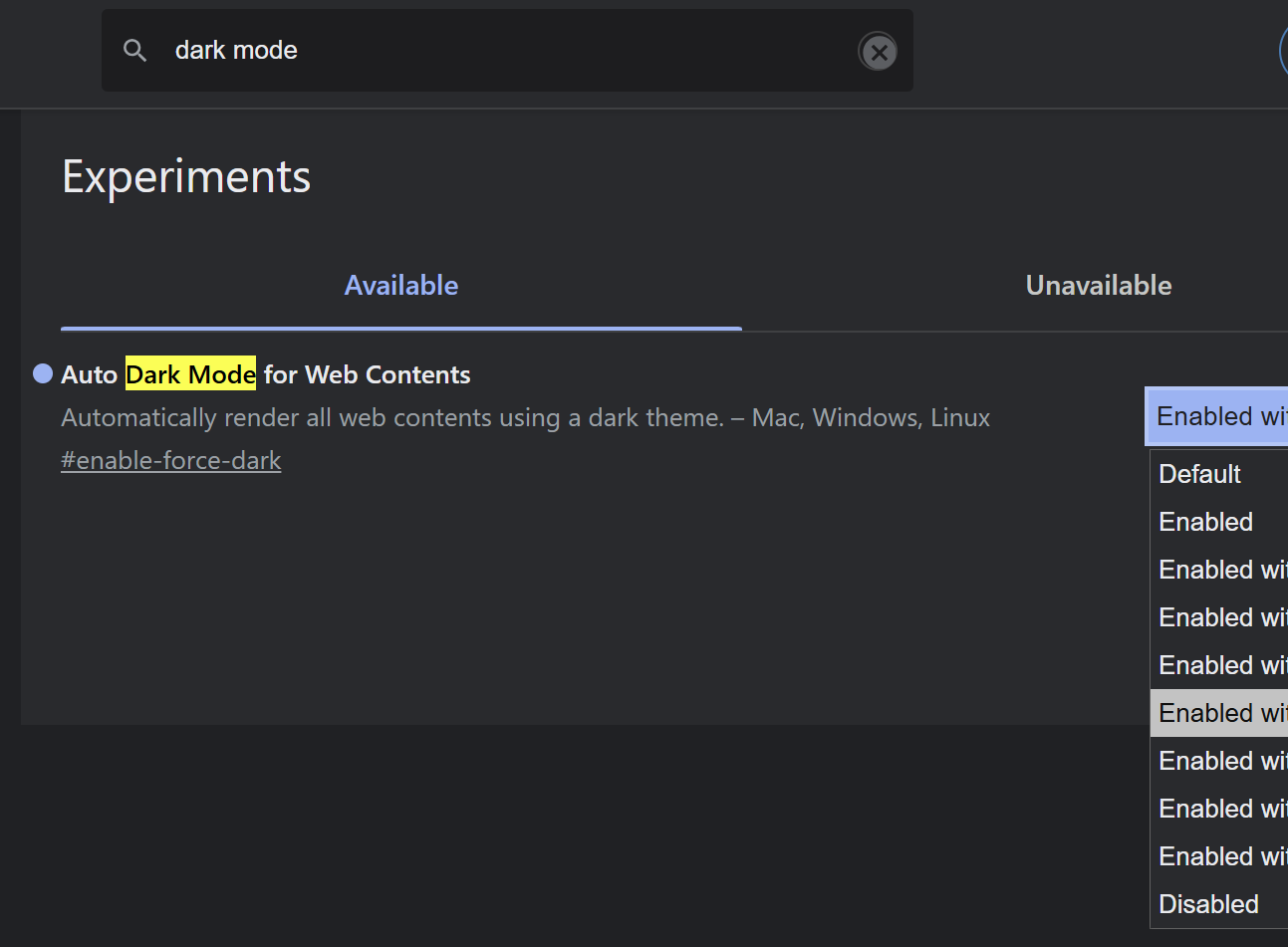
Workaround until Logos turns to the dark side…
Microsoft Edge
FYI, in Firefox using the Dark Reader extension, I had to use the Filter+ theme generation mode to get full dark mode. Click More → Filter+ in the "theme generation mode" section
This works!!
I also exclusively a Logos Web user because I run Linux. As such, native dark mode support in Logos Web would really improve my experience with Logos.
Available Now
Build your biblical library with a new trusted commentary or resource every month. Yours to keep forever.
Maybe I switch between these two far more than others, but it sure would be nice if this option were a toggle instead of a dropdown. Does anyone else use this feature enough to justify the switch? Thank you! Ellen
I have the great privilege of teaching some Chinese believers, only one of whom has English ability. It would be greatly helpful if the Chinese Bible in Logos was tagged, so that words I highlight in my English Bible would highlight for them.
Allow full LOGOS functionality (including AI assisted features) across personal books stored even on personal devices. Allow such access even though the books are stored in other formats … *.pdf; *'pub: *; *.mobi
Have a dedicated layout that includes preferred Bible, and Study Assistant. Have these two resources intuitively work together to make a great experience even greater. For example: assume that I have the Study Assist layout opened on desktop, mobile, or web. I am reading along in John 8, when I particular phrase comes to…
It would be nice if we could set highlighting/notes to our layouts. I have several layouts for my different Bible Studies on books of the Bible, and when I change from layout to layout it would be nice if I didn't have to change the highlighting/notebooks to the current Bible Book.