I have just switched to Logos Max and I can no longer access or find the transliteration of the Hebrew bible. Has this feature been eliminated?
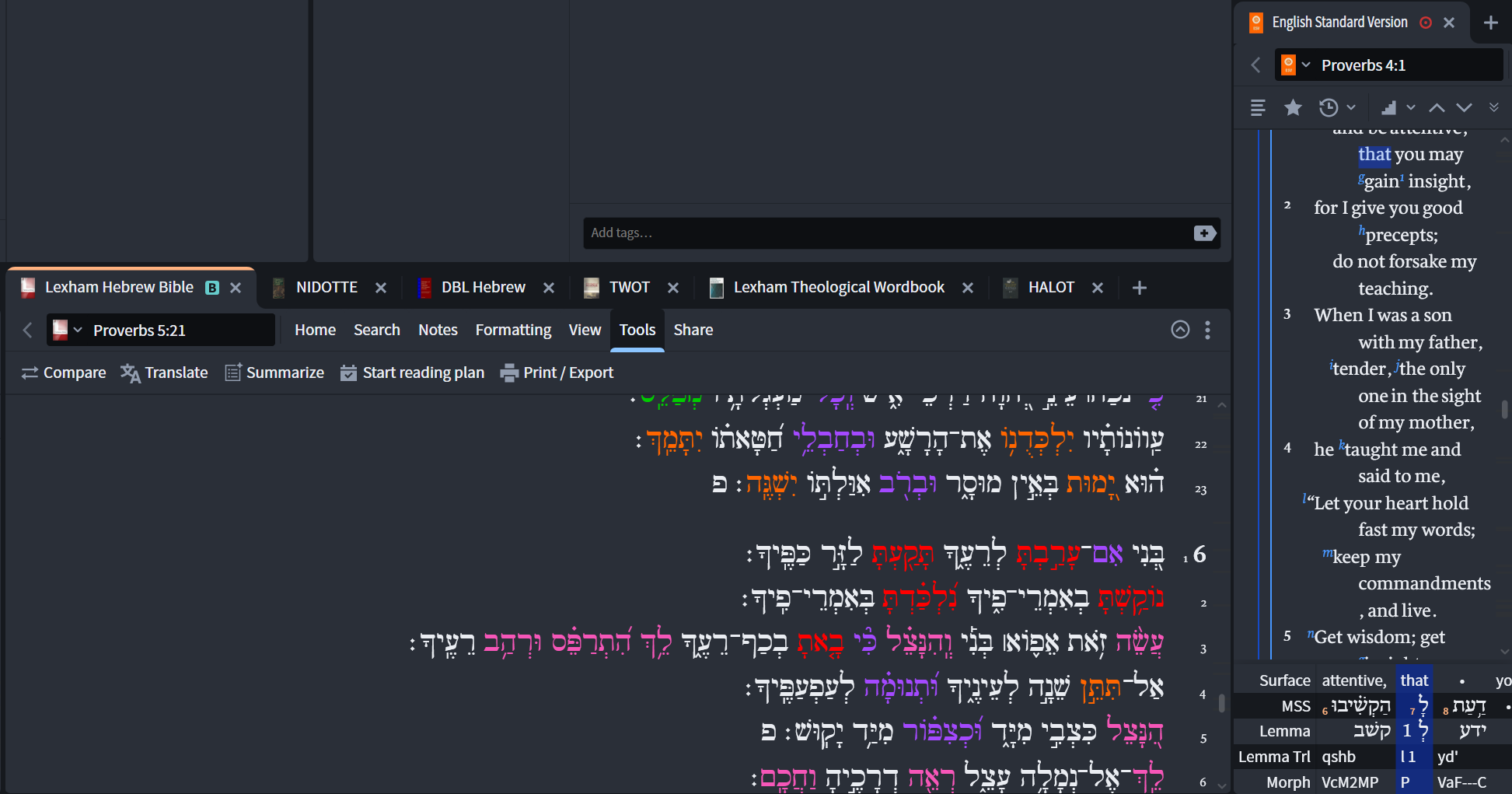
Are you looking for the transliteration of a word in an English Bible that has a "Reverse Interlinear" see the ESV on the right side of this pic, or an inline interlinear with transliteration?
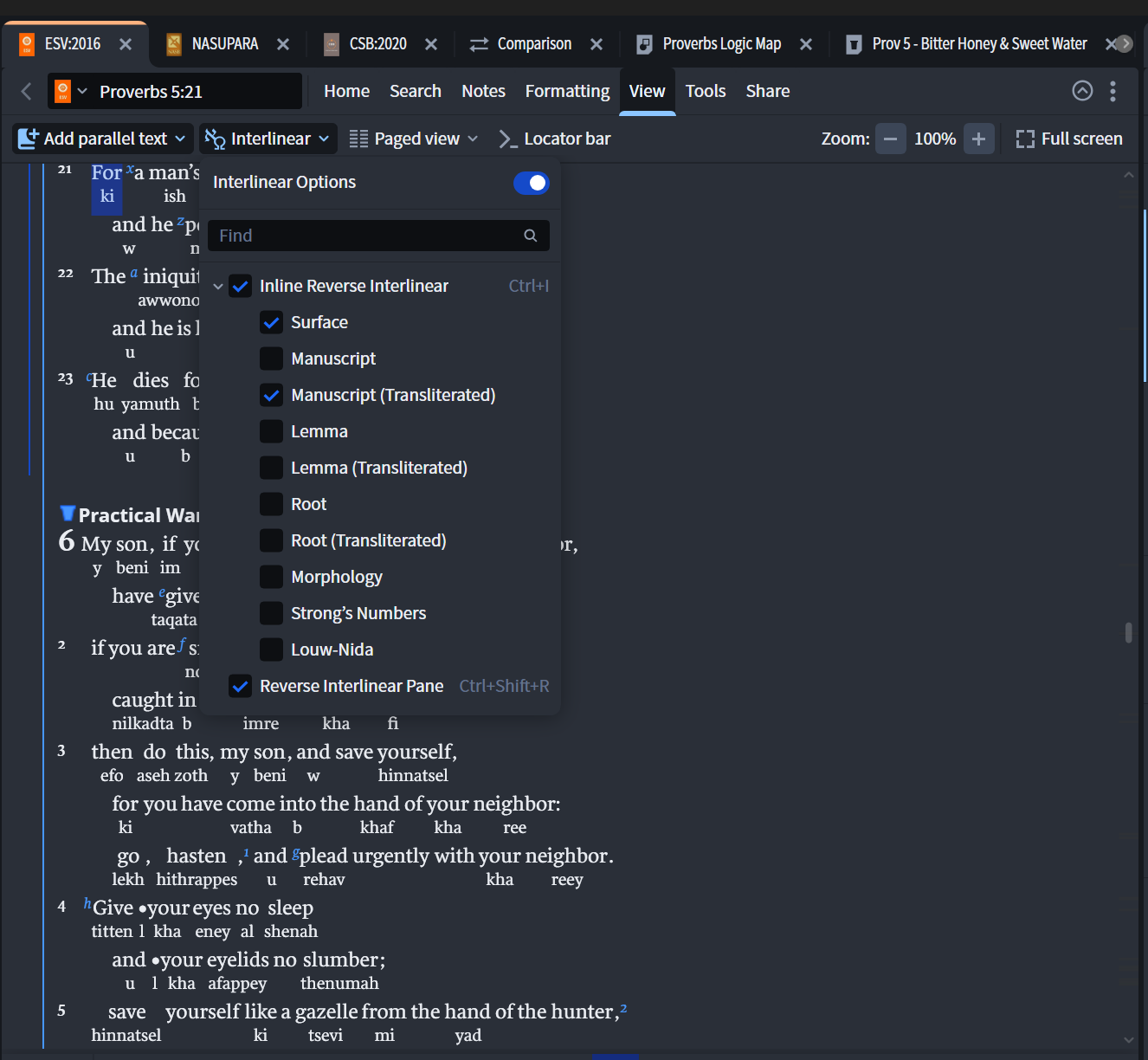
If your English version is tagged with "Reverse Interlinear" data, then it is accessible by clicking the "View" then selecting Inline or RI Pane, once you have the RI Pane you can right click and open/close the lines you want to see
There is also a tool called Text Converter that you can use to transliterate specific Hebrew texts (copy and paste) with some format options.
Available Now
Build your biblical library with a new trusted commentary or resource every month. Yours to keep forever.
My Mac is running low on disk space, and it looks like the Library/Application Support/Logos4 folder is taking 20GB in /Data and 15GB in /Documents. I'm guessing that one of those is my library and the other is my notes and highlights. Is there a way to see the size of all the things in my library so I can get rid of those…
Scrolling is slow. Would a more expensive phone help?
The Books of The Bible from the International Bible Society presents the biblical text visually according to its natural literary outline Christopher R. Smith, “What They Don’t Tell You in Church: Chapters & Verses,” ed. John D. Barry, Bible Study Magazine: July–August 2009 (Bellingham, WA: Lexham Press, 2009), 47. I was…
In Notes, when I type a full Scripture reference, it automatically turns it into a clickable link. Can you also add the feature to take, for example, v. 10 or vv. 10-15 and turn that into a clickable link? You can key off the book, chapter, and verse the note is attached to. If there are multiple Anchors, take the first…
Is there a way I can use Logos to format an academic research paper to a particular style and then use Logos to write the paper? I see where it lists workflows, sermon prep, etc., but what about writing papers and using copy/paste to insert verses or block quotes into them? What about citing works according to a particular…