The interlinear has morphemes when the Greek word is parsed. Where is the chart for the abbreviations?
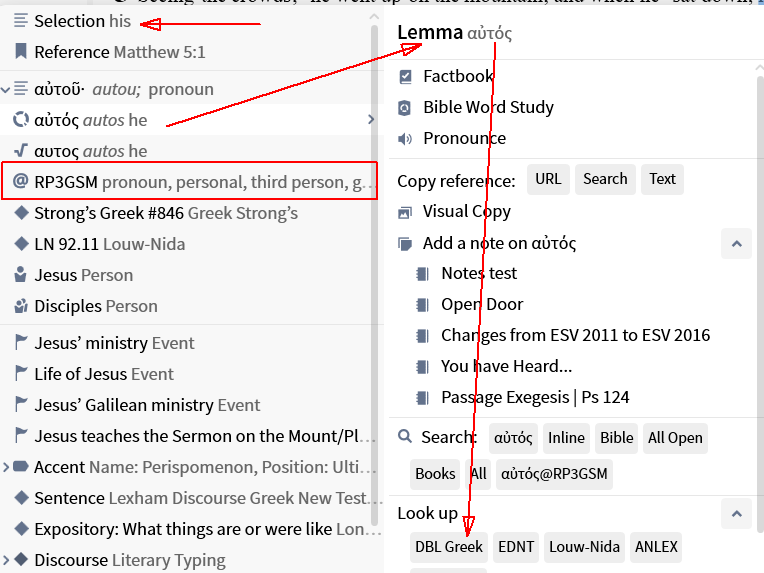
For example, what does this stand for? αυτος RP3GSM
Welcome Don,
If referring to bible translations like ESV, the Reverse Interlinear pane provides an explanation on hover. You can also right click the English word then make a selection on the LHS for an explanation/command on the RHS
https://community.logos.com/kb/articles/2141-morphology-codes
But if in a tagged Bible, a right-click will spell out shorter codes.
It would still be nice if there was a master chart for the parsing codes. It doesn't seem to exist.
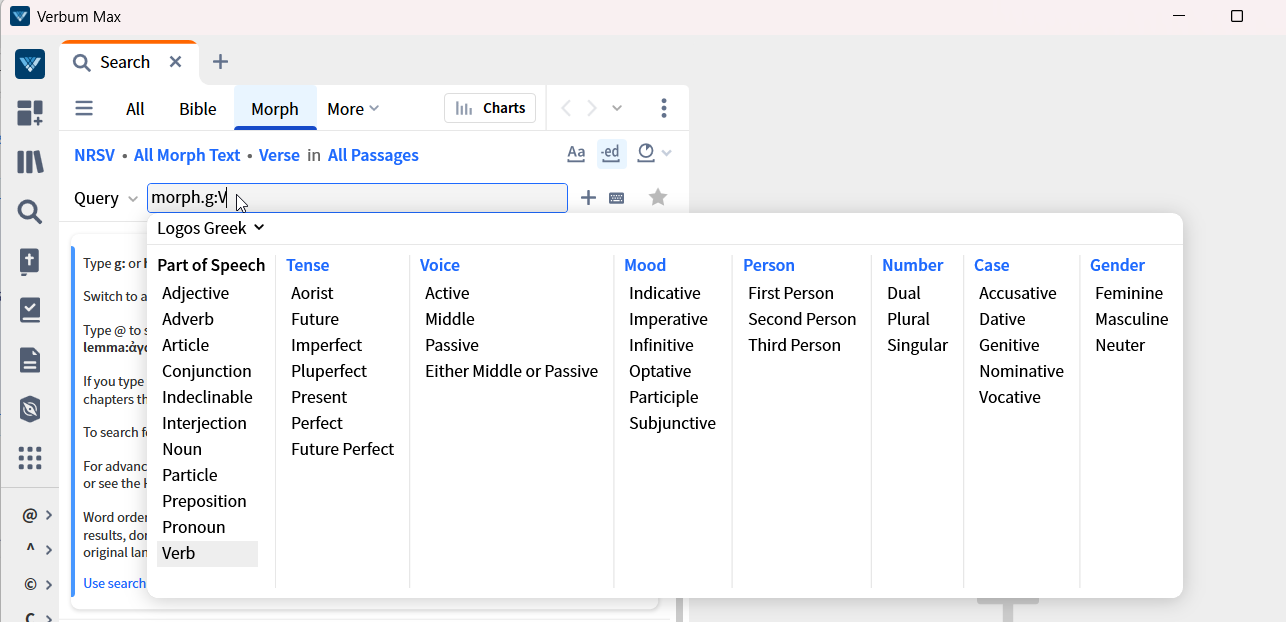
Excluding the sentence parsing of the clause visualization resources, the search provides such a chart in a multi-step process:
At one time I put a fair chunk of this information into the wiki. DBM gave you that link. Can you explain what you are wanting that doesn't exist?
Available Now
Build your biblical library with a new trusted commentary or resource every month. Yours to keep forever.
when opening the mobile app for the first time I get a splash screen asking me to choose my Bible and to sign in. if I choose the Bible first and then sign in, the preferred Bible setting on the app is replaced by what I had previously set on the account. Is this expected behaviour? thanks, Graham
As I have mentioned on a few threads, I find the auto-select (on the desktop version) to be really frustrating since when I am just trying to select a word to either copy it or highlight it, it randomly opens in a new column, distorting the width the column I had open, and / or selects the entire paragraph when I am trying…
I am glad that it is in production. But now I am wondering on the timetable of "in Production" entail to get it done. My guess it should take again awhile to do this with this book, unless it has been already started. Which it should of been done, considering the first three volumes are done. Please tell the eta of this is…
Is there any work being done to develop more editing options (indents, fonts colors, etc) for "Bible Study Builder"?
I know that hermeneutics is interpretation of God's Word, but what am I missing? Am I missing anything? The best interpretation of the Bible comes from the Holy Spirit revealing the hidden meanings. I am halfway through my Pastoral Counseling and Addiction Recovery master's class. It is a shortened version rather than…