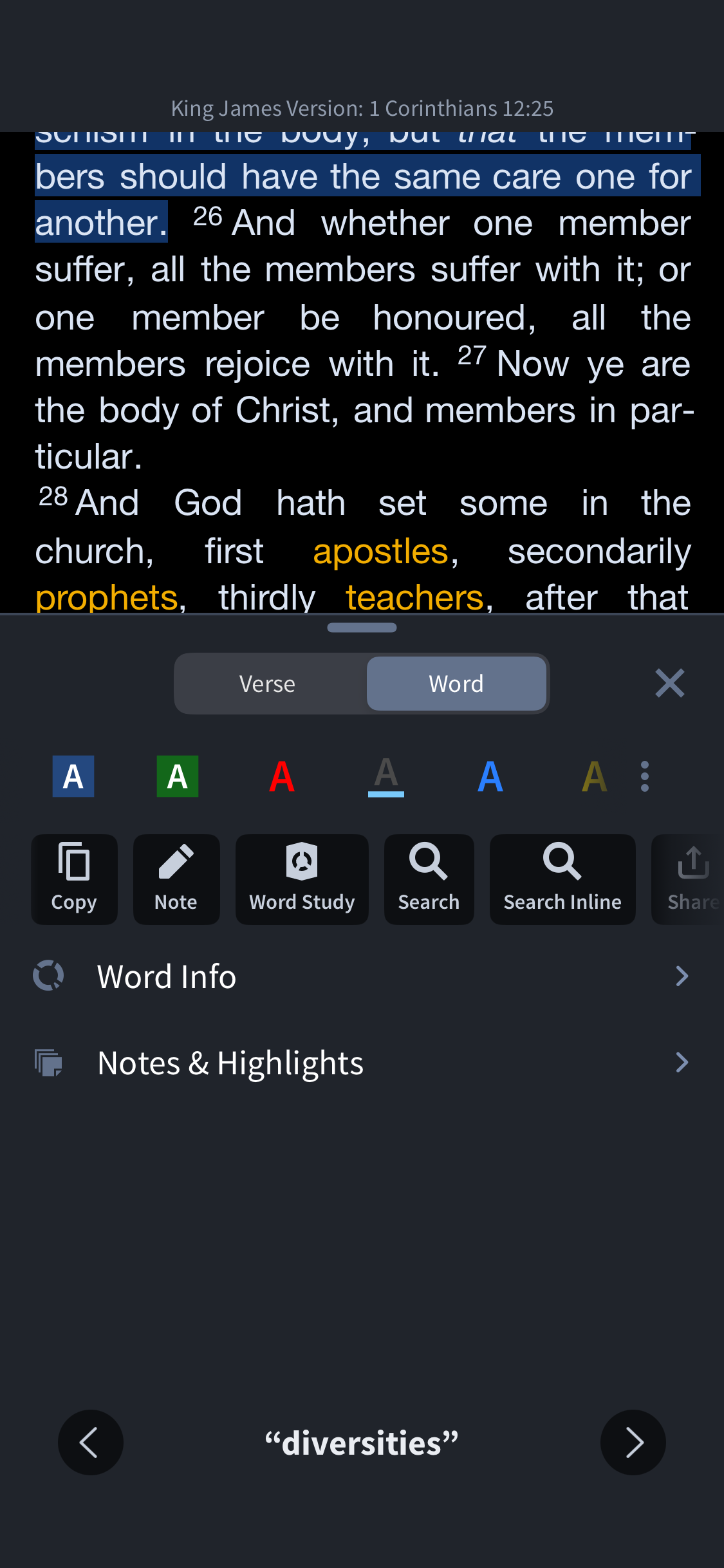
The new update makes it so hard to get into a note for editing. I either have to open a new tab and edit the note there, or go through a four step process to get to the in-tab note editing function. Please fix this. I've included an example of what you now have to do in order to get to the note tab:
Hi @Journey James - and welcome to the forums
I've included an example of what you now have to do in order to get to the note tab:
I don't quite follow your example.
What happens if you long-press a word and then tap the note icon in the bar below?
Here's how:
It says there's no note
Try tapping the note icon above the Notes and Highlights section - the icon between Copy and Word Study
That creates a note. I'm looking to edit one I've already created.
Also thanks for your willingness to help :)
That creates a new note. I'm wanting to edit a note that I've already created.
Available Now
Build your biblical library with a new trusted commentary or resource every month. Yours to keep forever.
Please allow us to create and edit basic tables in Notes.
Logos Development Team, I am a long‑term Logos user and recently subscribed specifically to gain access to the Study Assistant. Overall, I have been very impressed with the tool. However, I immediately noticed that the inquiry text box has a very restrictive character limit. As a real‑world example, I completed the first…
I use Sermon Builder to create lecture notes for various classes, too. So, expanding the AI functions to help with non-bible subjects would be great. For example, an outline for Late middle medieval church history would save me lots of time and help direct research
would really love to see clippings integrated with Sermon builder
Bring Logos Link to Firefox.