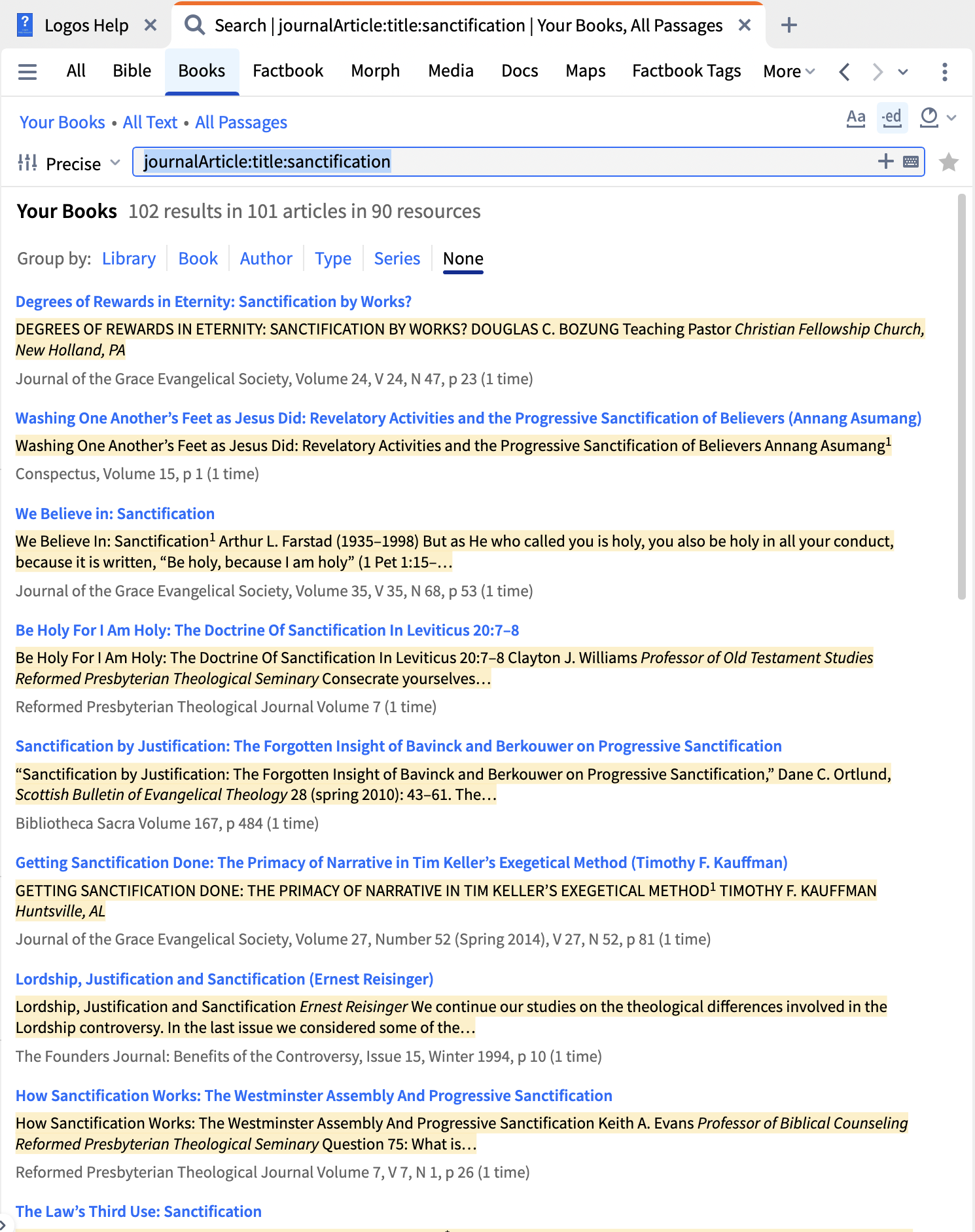
So far I just have this:
journalArticle:*
If I add sanctification then I get too many results. Where are all of the available keywords defined?
I don't know if best, but my way:
I actually keep a search panel for journals in my big layout!
Use journalArticle:title:sanctification
And the helpfile has the search parameters here
I think I'll stick with mine.
It pulled more journals (the 3 I wanted specifically). The difference without too much checking, is pulling an extra level under title (not what OP asked).
I would do it the way that Graham did, but if you want to follow DMB's broader approach without creating a collection, you could do largeText:sanctification IN journalArticle:*. Or just click Your Books in the search pane and replace it with type:journal, then search for largeText:sanctification. Additionally, consider adding topic:sanctification to find journals that might use other words but still address the subject.
Available Now
Build your biblical library with a new trusted commentary or resource every month. Yours to keep forever.
Bibleworks allowed users to choose from portions of the Bible that had descriptive headers. Example: Exodus 2:1 - Birth and Youth of Moses Logos only lists chapters with no descriptive headings. How can I get the same function that Bibleworks offered in Logos?
I own The Babylon Talmud and Jerusalem talmud . Logos has not organized the volumns as are my hard copies. Im trying to find Yoma 39a. This info is vital in our sharing the Gospel.40 years before the distruction of the Temple the Red Rag never again turned white . The menorah would not stay lit and the doors of the Temple…
I just noticed that the most recent update of my desktop Logos (legacy) has had the "fuzzy" search option removed, leaving only the option to subscribe for "Smart" search for other than "Precise" search. Is the former fuzzy search no longer available? If it still available, how to do I restore it as an option?
My Logos subscription started 12/1/24. I thought AI credits were supposed to reset on the day of the month a person's subscription started—so for me, the first of each month. But when I logged on today (Feb. 1), my AI credit status showed I had already used 4% of my monthly credits. Am I mistaken about the credit reset…
What's the best way to find parallel accounts in other Gospels if I'm working with/in the Gospel of John? I know there's the Parallel Gospel Reader, but I would love if there was something faster, with synchronous scrolling alongside my open Bible tab. Is there anything I can link up like the Concordance Intertext tool…