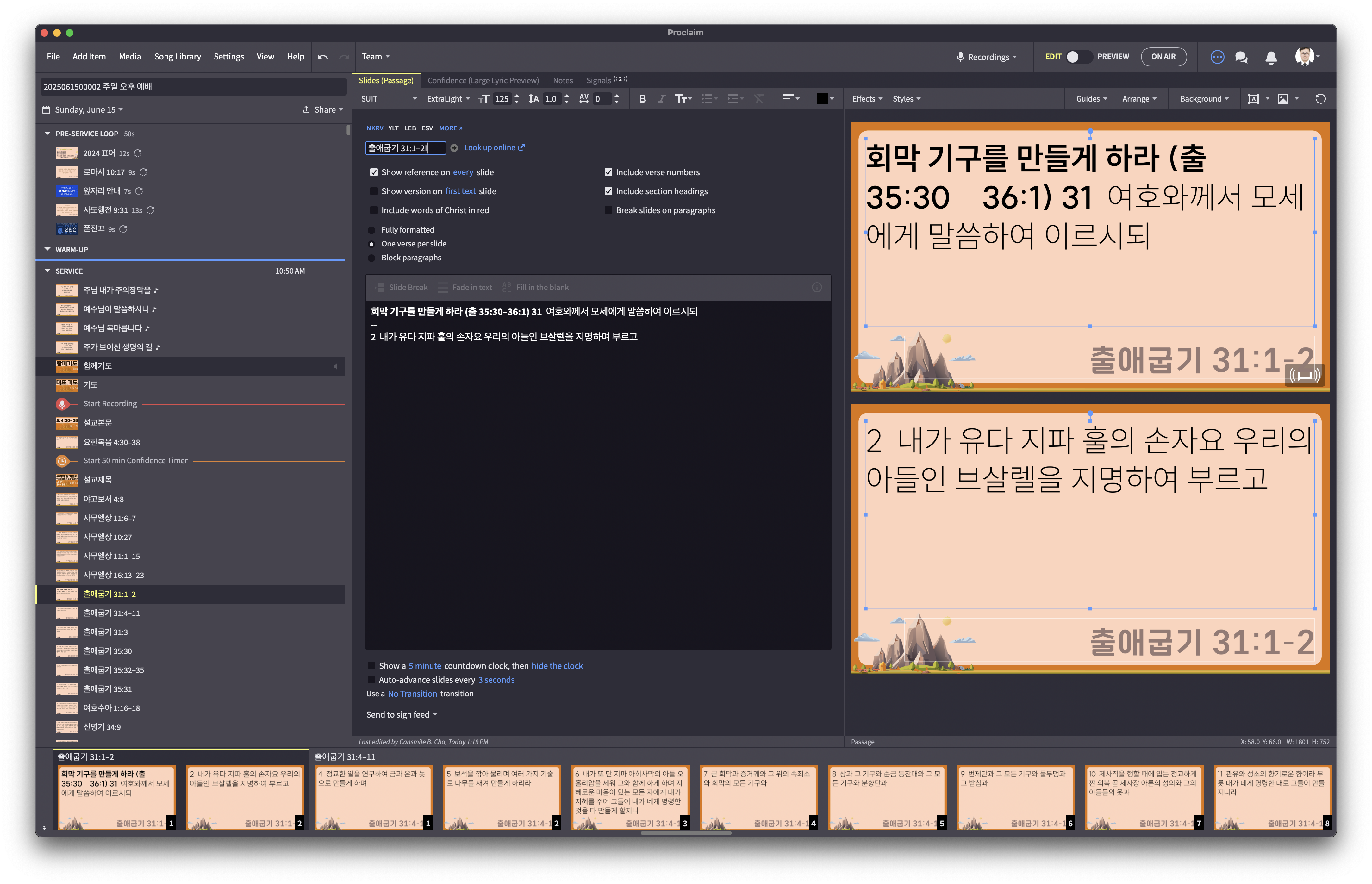
nowhere I can find the option.
If I set 'Include section headings', Chapter number shown, not verse number.
This is based on the tagging of the original Bible Proclaim is drawing from. If the text does not have numbers for the first verse of the chapter then when Proclaim imports it, it will not either. If you use one that does, like the ESV, it will be displayed. But it isn't a setting you can control, it is the way they have configured the Bibles.
Justin is right. You can type a 1 in the correct spot yourself after pulling in the verse
Available Now
Build your biblical library with a new trusted commentary or resource every month. Yours to keep forever.
I recently purchased a CCLI Lyric Video License. When I added the setlist as a webpage, it asks for login information, but will not advance the proclaim browser to the login page. when I go to the CCLI login page from inside proclaim, it will allow me to enter my email address and password, but the login button is grayed…
We are having an issue on Sunday mornings during service where we've had syncing start happening while we are already on air, and the whole presentation will go back to the pre-service loop, sometimes in the middle of the song. We feel that once you're On Air this should freeze any syncing unless we are in Edit mode. Is…
can I set limit for indentation when typing lyrics in ?
we have bilingual services some times and it would be cool to add 2 scripture translations on 1 slide like Spanish RV60 and KJV side by side
Occasionally when I add or change a song in Proclaim it creates multiple copies of the last song slide, anywhere from 2 -9 additional slides for no apparent reason. I have deleted any extra spaces at the end of the song lyrics, but there is no change in the number of extra slides at the end of the song. It does not happen…