it would be great to able to turn off the count down that shows up when you click the ON AIR button. It seems like it shouldn't be a forced feature we have to use. Please help
Hi Jason - and welcome to the forums.
Can you be a bit more specific about when you see this count down? I don't get it when I go "On Air"
Thanks, Graham
Hey Graham,
When we go "on air" a count down shows on the projected screen. So what we have to do is click "blank" screen then go back to the Logo for the count down to go a way.
I hope this clears it up. Please let me know if you need any more clarification.
Thanks,
Jason
Thanks Jason
A count down does appear when you are in the "warm-up" section of the presentation.
Do you have slides in that section? If so, you might want to remove them.
Hope this helps
Graham
You may have "show countdown timer" feature selected on slides in the warm-up section or pre-service loop. You can un-check this box on any slide under the edit content heading. See image. Let me know if this helps.
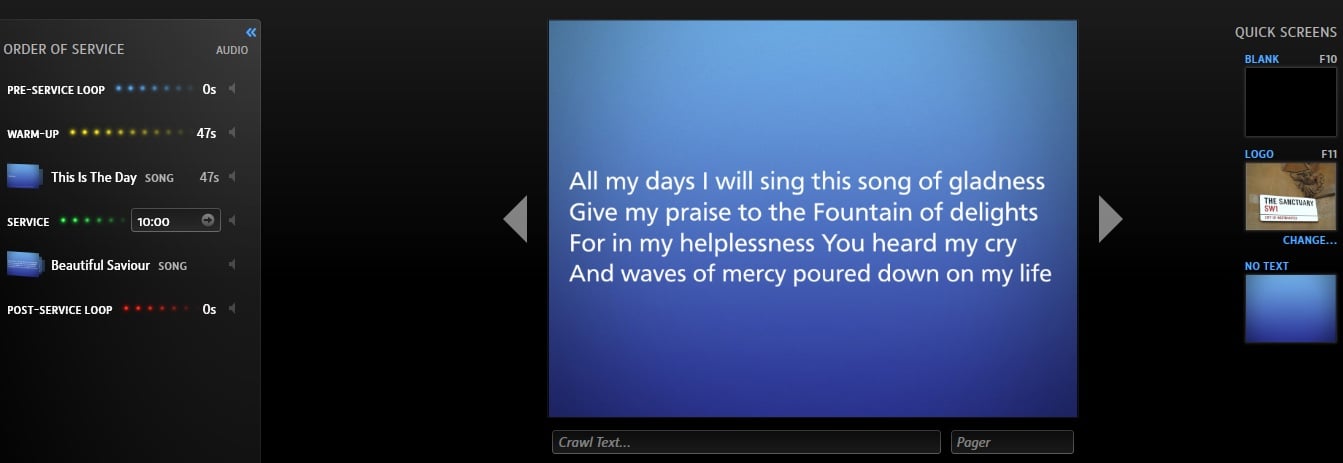
We have a similar issue. We haven't added any slides to the Pre-Service Loop - so haven't added any countdown clock, or have the ability to tick that box - though we have added the Warm-Up section, Service, and have a Logo slide (F11). When we go On Air it shows the Logo slide with a countdown timer on it and then we can move it on to Warm-Up slide show, but the first slide has no apparent means of setting the time. Here's a cut down example:
Does this mean we have to use a Pre-Service loop regardless to avoid the countdown clock? Or is there a way to default to no countdown clock if nothing is added to the Pre-Service loop? And what is the countdown clock associated with?
The countdown timer is there to fill the time before the service is set to start, 10:00 in this case. Your Warm-Up is 47 second long so you will see the Pre-Service Loop or the logo with a countdown timer until 9:59:13
Ah, thank you. That makes perfect sense.
Available Now
Build your biblical library with a new trusted commentary or resource every month. Yours to keep forever.