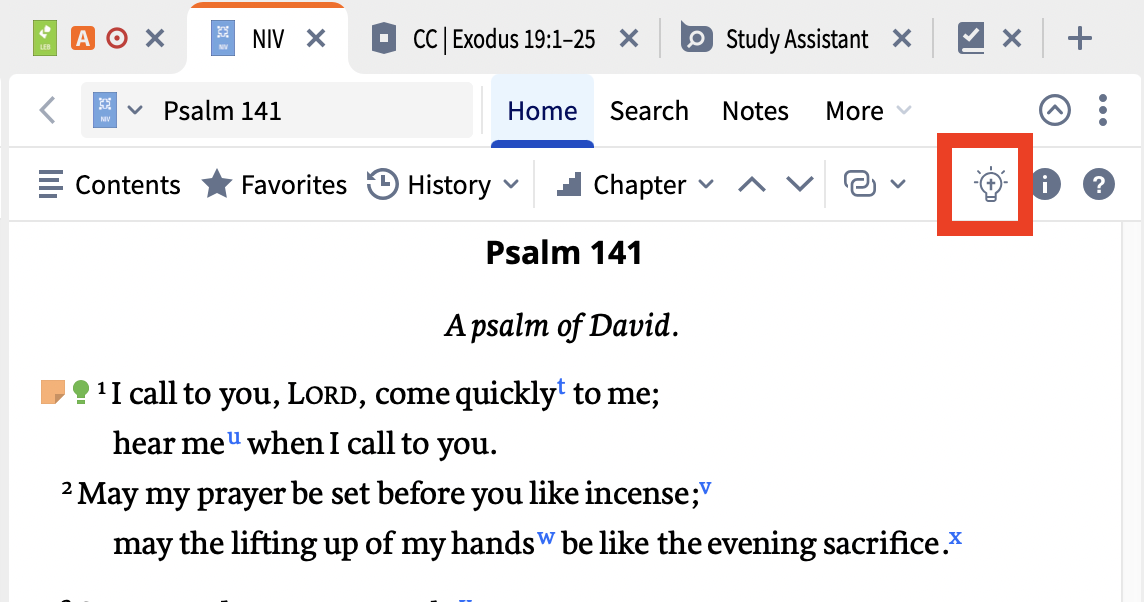
Opened my Logos to Bible. My lightbulb is missing. The Insights Panel is supposed to open with Shift Command B but it produces no response.
Welcome @Allan Meyer
The Insights Panel is supposed to open with Shift Command B but it produces no response.
I've just tried this and it worked for me.
Which Logos subscription level (if any) do you have? I don't know if that's relevant at the moment but worth checking.
And are you saying you don't see the Insights sidebar icon in the toolbar?
Graham
There was a problem with the short cut - I've forgotten which version in the last couple of weeks fixed it. You are on the Home tab with a wide enough panel to show the light bulb, I assume.
Available Now
Build your biblical library with a new trusted commentary or resource every month. Yours to keep forever.
I just noticed that the most recent update of my desktop Logos (legacy) has had the "fuzzy" search option removed, leaving only the option to subscribe for "Smart" search for other than "Precise" search. Is the former fuzzy search no longer available? If it still available, how to do I restore it as an option?
I own The Babylon Talmud and Jerusalem talmud . Logos has not organized the volumns as are my hard copies. Im trying to find Yoma 39a. This info is vital in our sharing the Gospel.40 years before the distruction of the Temple the Red Rag never again turned white . The menorah would not stay lit and the doors of the Temple…
I'm finding a way where I can easily click on my ESV Bible and see my highlights from commentaries. I've tried clicking "add anchor" in the highlight from the commentary and then adding Gal 2:17. However, the result is that the whole verse in the ESV gets highlighted yellow. If I remove the highlight colour from the note,…
Bibleworks allowed users to choose from portions of the Bible that had descriptive headers. Example: Exodus 2:1 - Birth and Youth of Moses Logos only lists chapters with no descriptive headings. How can I get the same function that Bibleworks offered in Logos?
Are there any plans for the Smart search to include searching my Notes as well as my books/resources? I recently asked it specifically to search my Notes, in hopes of finding information I may have dealt with in the past, but it indicated that was not possible. Thanks for any update. Dennis Toll