In my Bible study group I go through the story of David with the special focus what David thought about the single stories. Therefore I look in his psalms. Is it possible to limit a Bible search on David’s Psalms?
Hello everyone, thank you for your prompt and, above all, helpful responses! The combination of the Psalm Explorer and the verse list is brilliant. It works so well, solves my problem, and has taught me a lot. Thank you very much!
Yes you can limit a search to any group of Psalms you want
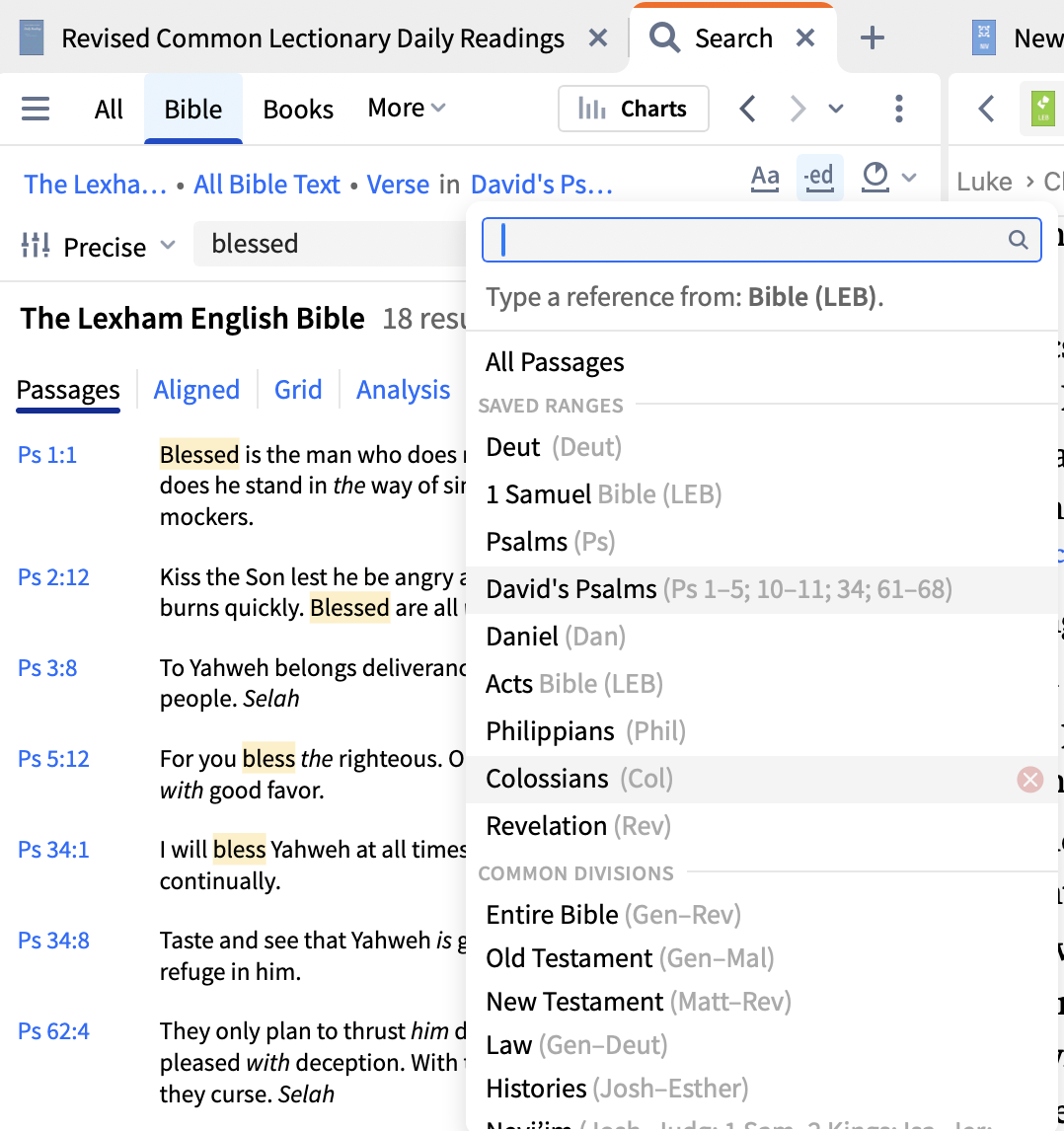
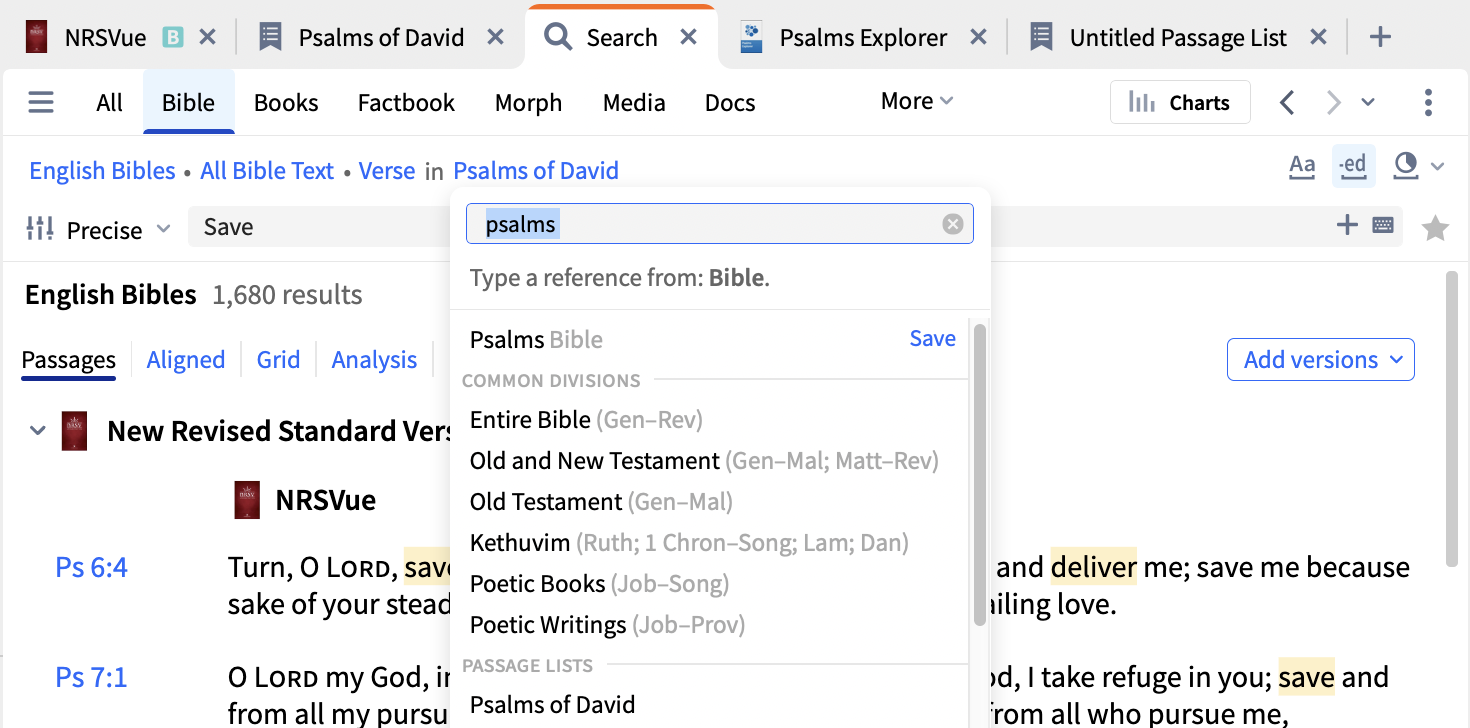
Below when setting up a search I specified a set of Psalms and saved it as David's Psalms. Now, anytime I want to use this constrained search I just select that range
(I'm not suggesting the Psalms I selected are Psalms of David but just illustrating how to do it)
If any of this doesn't make sense, or doesn't address your requirement, please advise.
Hi @Stephan Thelen ,
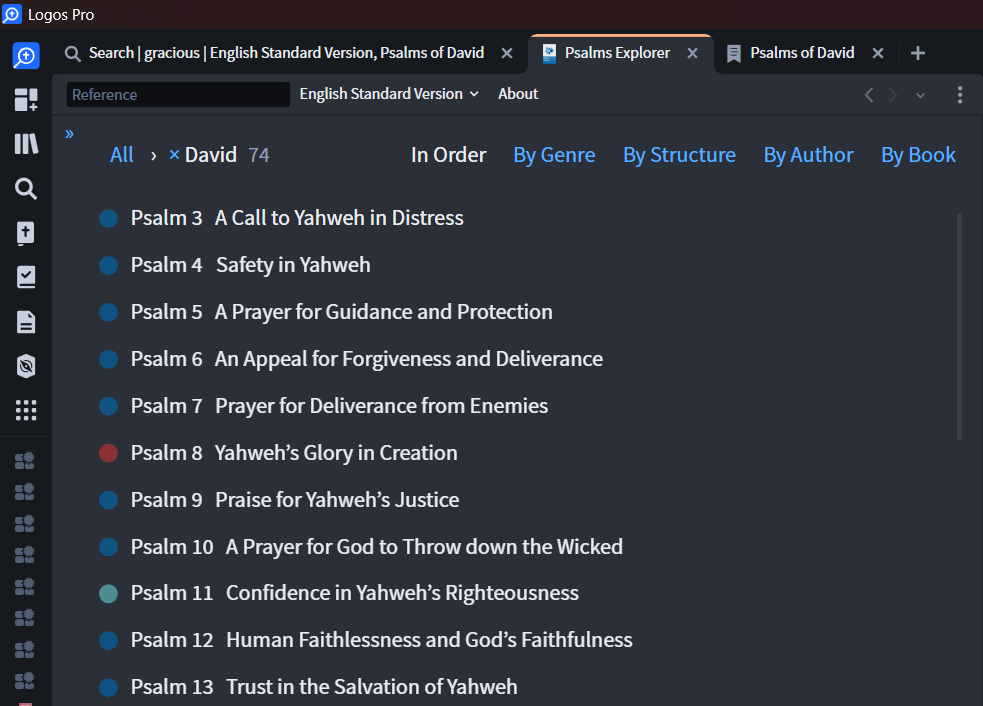
Here's a way to achieve the results, there maybe a better way though that I'm not aware of. I just finished typing this reply & the page refreshes with Graham's solution so I think that method is fewer steps. Thanks Graham, I'm gonna look into "save as range" feature now, TIL ☺️.
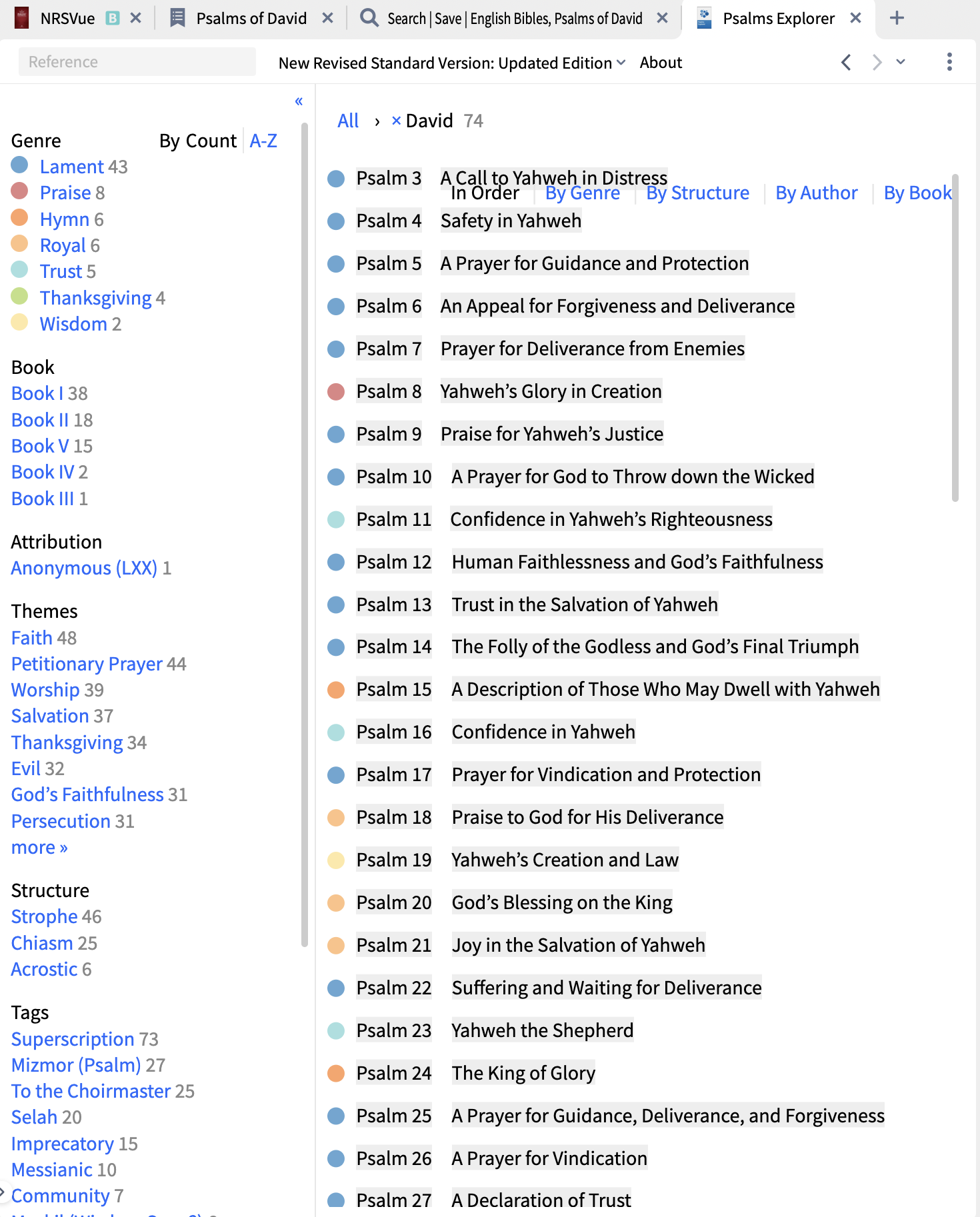
2. Select all the text from result + Copy.
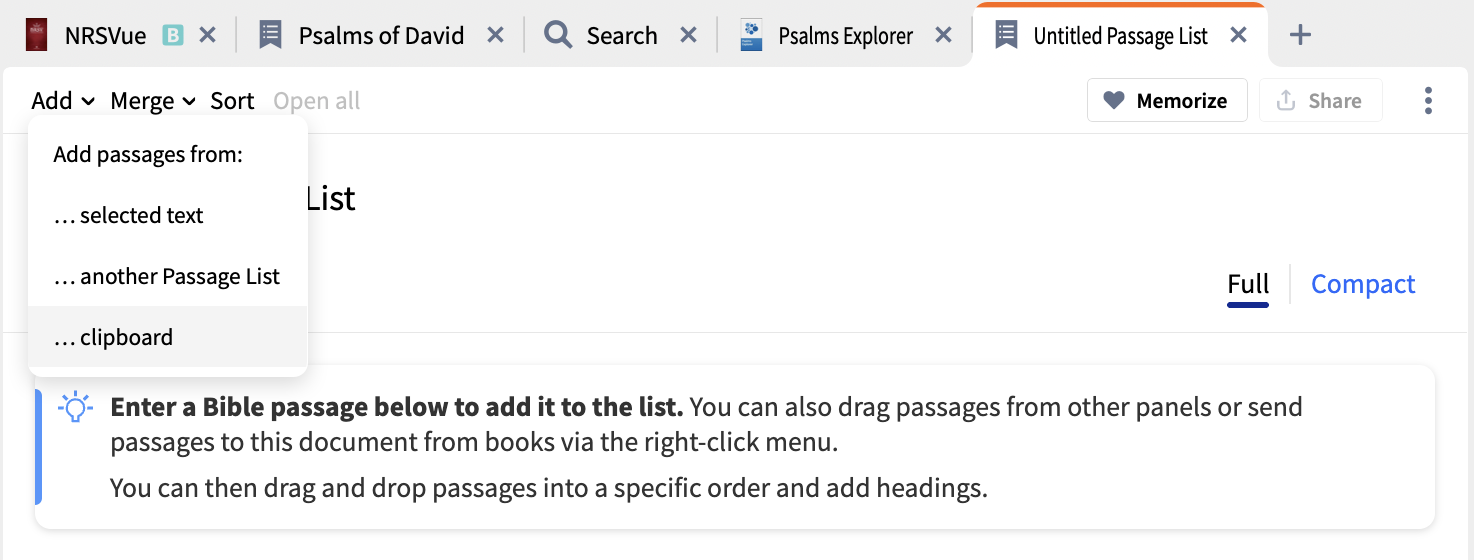
3. Open Passage List → Add → Select … clipboard → Save as Psalms of David.
4. Open Search → Bible → Choose "Psalms of David" at the All Passages.
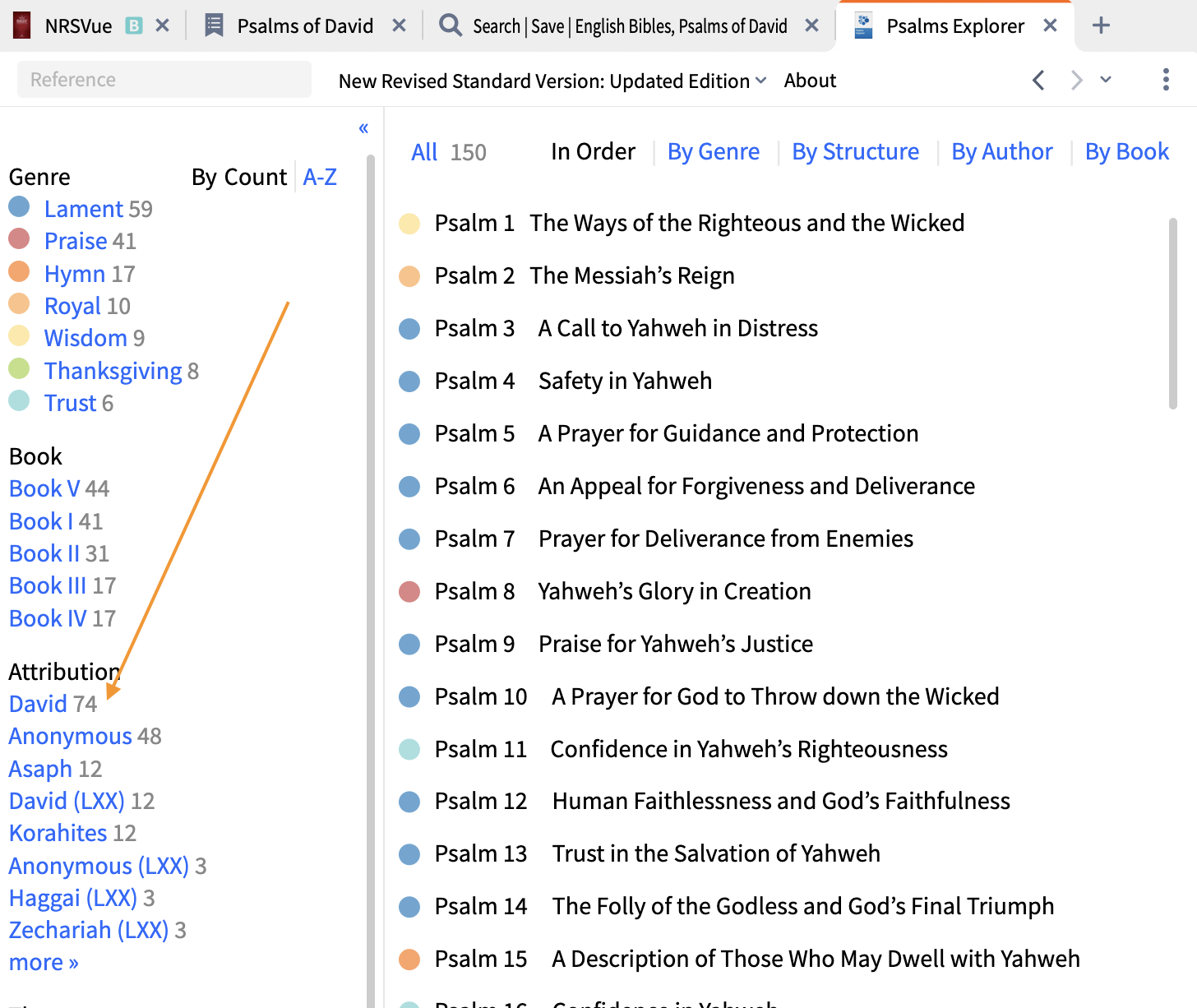
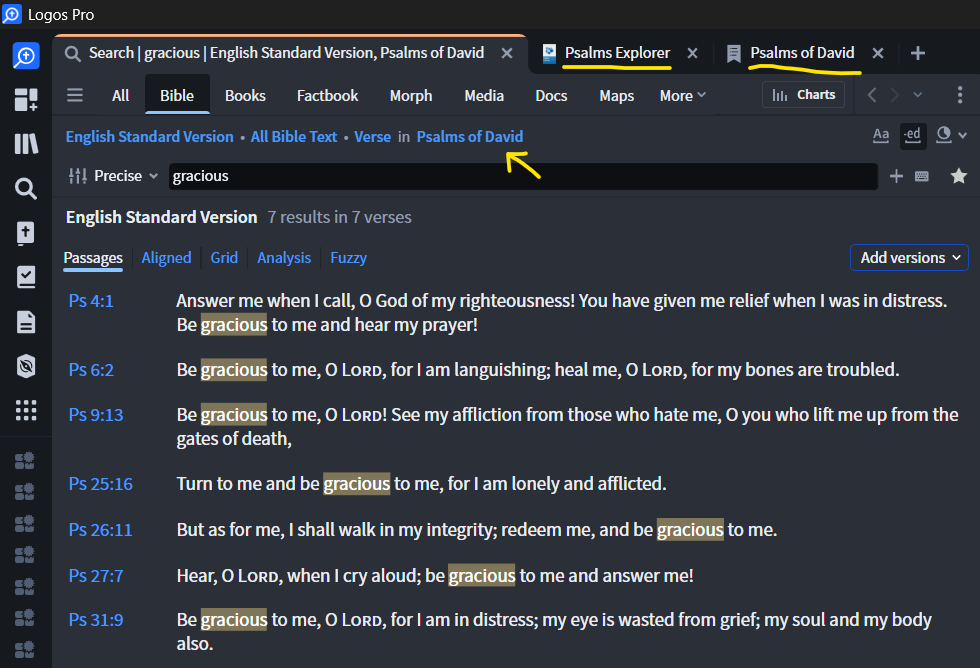
You can also create a "Passage List" with all of the Psalms attributed to David. You can then use the search function to search that passage list. After clicking the selection where the yellow arrow points, in the text box begin typing in the name of your passage list and it should populate as selection below. Click on it to narrow the search to that passage list. In this case I named the newly created passage list "Psalms of David."
Passage List is found under Documents —> New. To create the passage list efficiently you can type in Ps 3, 4, 5, 6, 7 etc., using a comma and a space between each number. Or, better, figure out a way to paste it in.
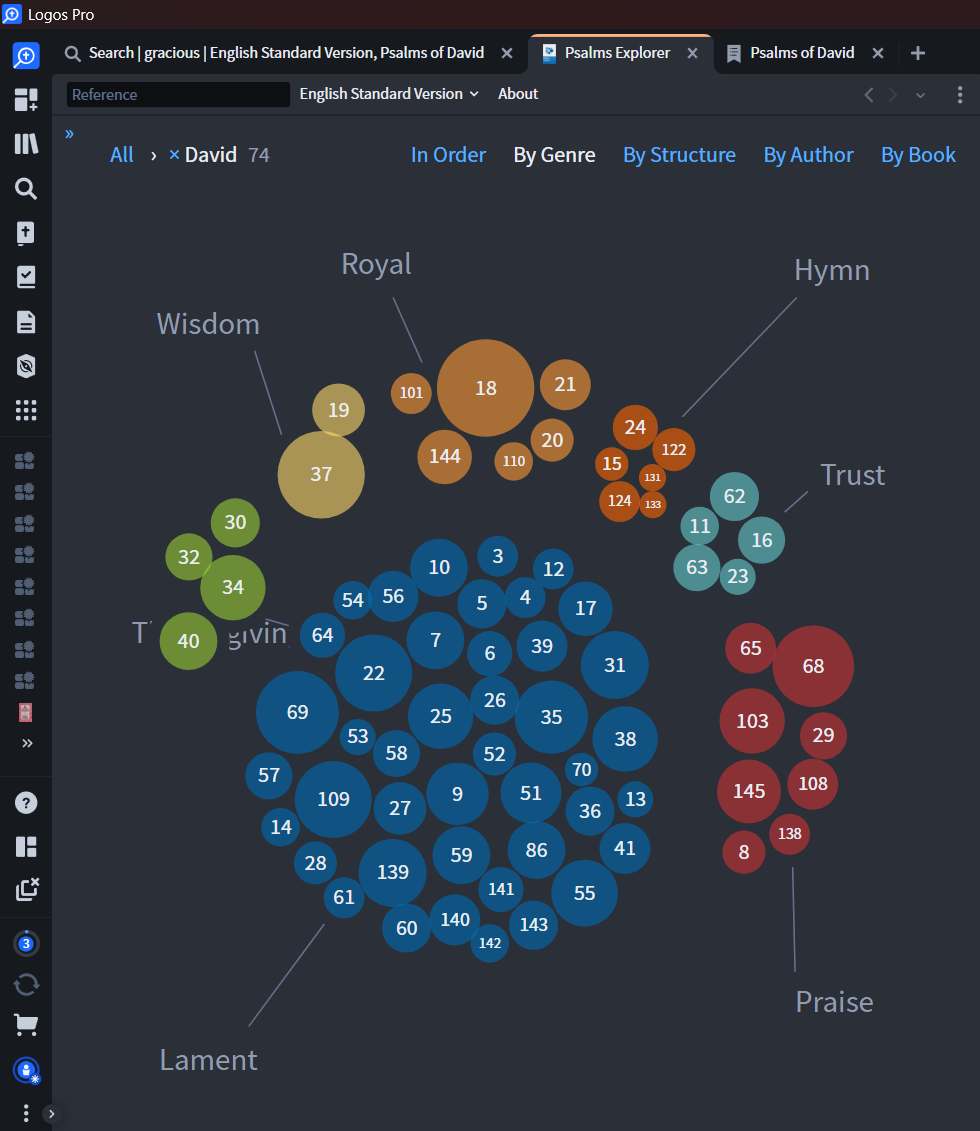
If you need to find which Psalms are attributed to David or narrow the selection further you can use the Psalms Explorer found under the tools section
@Michelle Thanks for showing a way to paste the list of David's Psalms from the Psalm Explorer into the passage list document👍️
PTL, you're welcome, thank you, I just saw I missed a step haha 🤭
Step 2. Select all the text from result + Copy (CTRL+C / Command+C)
Available Now
Build your biblical library with a new trusted commentary or resource every month. Yours to keep forever.
A different kind of question. What diagonal screen size have you found to be adequate for running Logos Subscription Max under Windows 11 Pro? I currently have my 27" desktop and a Microsoft Surface Pro 8, but thinking of going for a regular laptop. There are a couple of Dell models that interest me, but primarily the…
I have a couple of books that always crash Logos. I read the books a while ago and created Notes while reading, but if I try to go to the Note anchors in the books in question, Logos crashes. Same if I try to open them in the Library. Is there anything I can do to fix this?
MPS teaches that we should put a one volume commentary that covers the whole Bible in the short cuts bar. That way we can easily access the commentaries without opening a guide. We can then go from one to another. I have JFB in the short cuts bar. I have an English and a Greek text opened to I John 2:5. I clicked on JFB…
Hi, Windows 10 Pc. I just replaced had hard drive replaced and new updated version of windows 10. The repair shop lost all my home screen icons and shortcuts. Now, I have to go to web to sign into Logos. The problem is that it puts me into the web edition after sign-in and tells me my desktop OS is not supported and won't…
I know that there is a script that can be run that will clean up the database. Can someone show me how to clean up and decrease the database size?